Ce contenu n’est pas encore disponible dans votre langue.
In the app: Settings › Observability (#/app/settings/observability), under Safety & privacy
Settings › Observability controls what AWFlow records about AI runs, how long it keeps it, and where it sends it. Everything on this page applies to this browser.
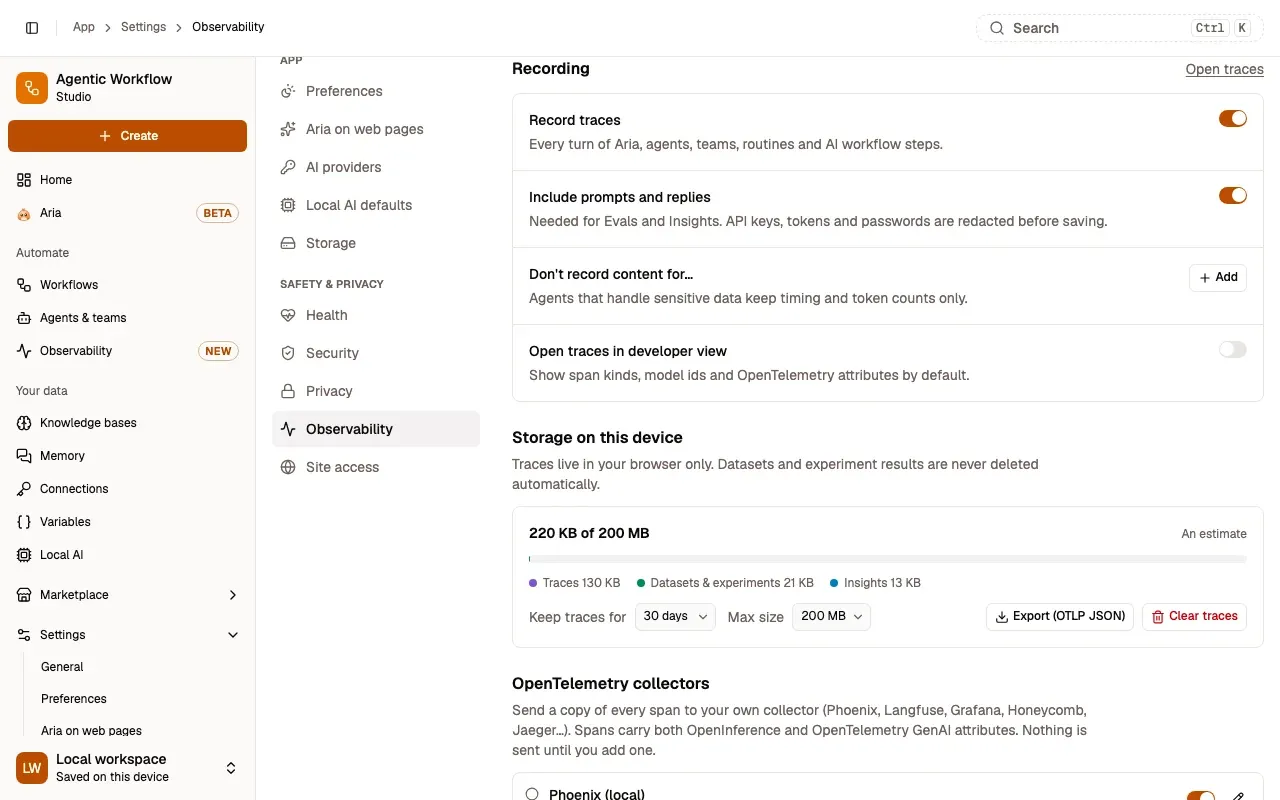
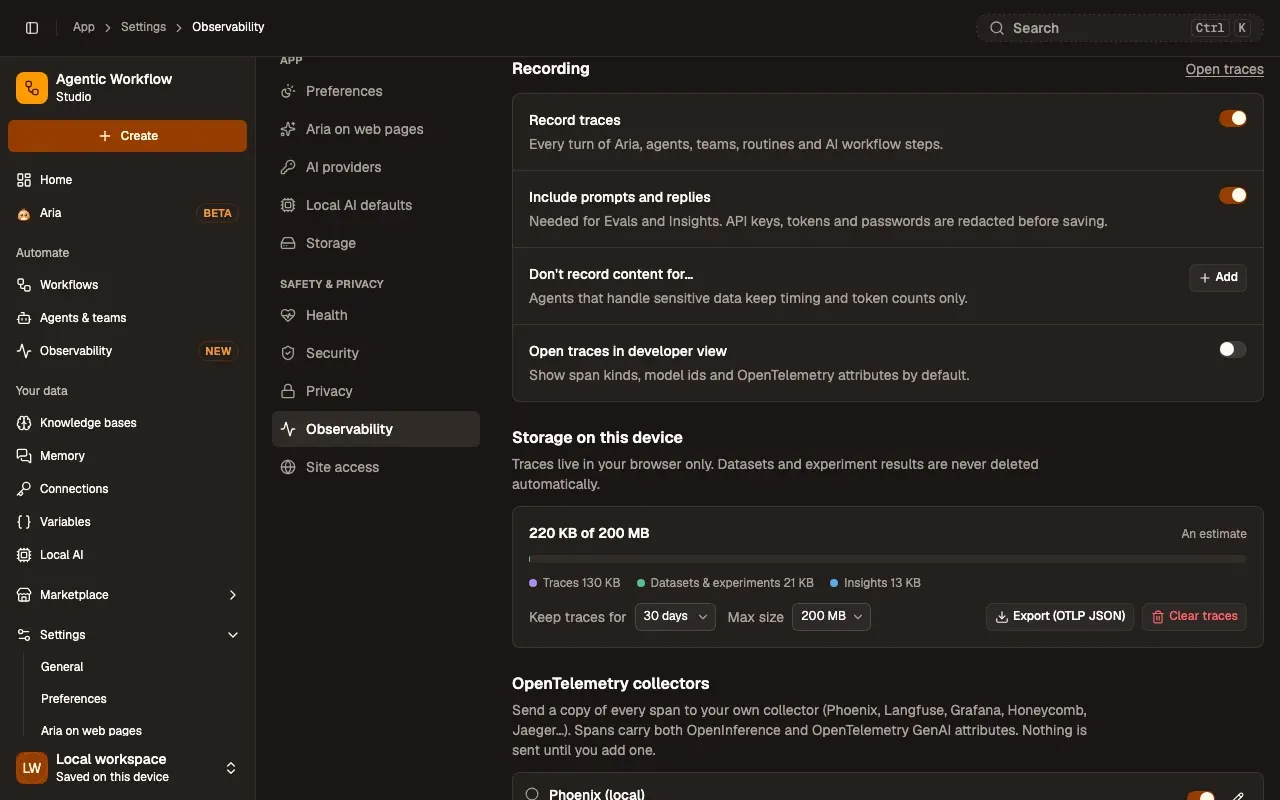
Zones numérotées de la capture d'écran : 1. Recording; 2. Prompts and replies; 3. Storage on this device; 4. Collectors.
Recording
Section titled “Recording”| Setting | Default | What it does |
|---|---|---|
| Record traces | On | Records every turn of Aria, agents, teams, routines and AI workflow steps. Off: no new traces are kept. |
| Include prompts and replies | On | Keeps what was asked, what the model received and what it answered. Evals and Insights need it. Only available while Record traces is on. |
| Don’t record content for… | None | Agents you add here keep timing and token counts only, even with content on. Use it for agents that handle sensitive data. |
| Open traces in developer view | Off | Opens every trace in Developer view: span kinds, model ids and OpenTelemetry attributes. |
Open traces at the top of the card takes you to the trace list.
Keep content out for one agent
Section titled “Keep content out for one agent”- Next to Don’t record content for…, click Add.
- Pick the agent.
- To record its content again, click the × on its chip.
The agent’s traces still show each step, its time and its tokens, but no messages, tool inputs or results. Traces recorded before the change keep what they already hold.
What is removed before saving
Section titled “What is removed before saving”With Include prompts and replies on, AWFlow cleans the content before it is stored or sent anywhere:
- Secrets in text. API keys,
Bearertokens, passwords andkey=,token=orsecret=values in links are removed. - Keys AWFlow knows. The values of your connections and AI provider keys are replaced by a
[secret:…]placeholder that names the secret, wherever they appear. - Images and files. Images embedded in the text become
[image]and other files[file]. Their contents are never stored.
Removing secrets works on patterns and on the keys AWFlow holds. It can’t recognize every piece of personal information. If an agent handles data you don’t want recorded, add it to Don’t record content for….
Storage on this device
Section titled “Storage on this device”Traces live in this browser only. The meter shows an estimate of the space used, split into Traces, Datasets & experiments and Insights.
| Setting | Choices | Default |
|---|---|---|
| Keep traces for | 7 days, 30 days, 90 days, Until full | 30 days |
| Max size | 100 MB, 200 MB, 500 MB, 1.0 GB | 200 MB |
When traces get older than Keep traces for, or the store goes over Max size, AWFlow deletes the oldest ones a little at a time, in the background. It keeps any trace that is pinned: used by a dataset, rated with 👍 or 👎, or part of an Insights report. Runs that are still running or waiting for you are kept too, for up to 30 days.
Datasets and experiment results are never deleted automatically.
Export or clear
Section titled “Export or clear”- Export (OTLP JSON) downloads your traces as a standard OpenTelemetry file that other tools can import. A very large store exports the latest traces, and AWFlow tells you how many.
- Clear traces deletes every trace on this device. Confirm with Delete traces. Pinned traces are deleted too. Datasets, experiments and insights stay.
What never leaves your device
Section titled “What never leaves your device”- Traces, datasets, experiments and Insights reports are never sent to the AWFlow servers. Observability works without an account.
- A copy is sent only to a collector you add yourself, and only from then on. You choose per collector whether it gets content or Timing and tokens only, and whether emails and phone numbers are masked in that content. See Send to your tools.
- Anonymous usage statistics are separate. They are sent only while Share anonymous usage statistics is on in Settings › Privacy, and they hold counts and event names, never your text or trace ids.
- Your 👍 and 👎 feedback stays on this device.
When you delete an agent
Section titled “When you delete an agent”Deleting an agent asks what to do with its data. Both boxes are off by default:
- Also delete its traces deletes every recorded run of the agent, with the ratings on those runs. Traces that a dataset you keep still uses stay.
- Also delete its datasets, experiments and Insights reports deletes its test datasets with their examples and results, and the Insights reports about it.
Its saved versions and auto re-run setting are always deleted with it. A toast reports what was deleted. If you leave a box unticked, that data stays on this device, and you can remove traces later with Clear traces.
Tokens only
Section titled “Tokens only”Observability counts tokens: what each model call sent and received, what came from the cache, and the total per run. Budgets are set in tokens too. AWFlow never works out a price, so no screen shows money.
Some models don’t report their token use. AWFlow then estimates it and marks the number as an estimate.
Good to know
Section titled “Good to know”- Pinned traces are only deleted by Clear traces, never by the automatic clean-up.
- Settings apply to this browser. Another browser or device keeps its own traces and settings.
- Experiments and Insights reports record their own traces. They never count in Monitor, but their tokens count toward the agent’s budget.
Related
Section titled “Related”- Send to your tools: copy spans to Phoenix, Langfuse or any OTLP collector.
- Traces: read what was recorded.
- Alerts & budgets: token budgets per agent.
- Privacy settings: usage statistics and error reports.
- Privacy & your data: everything AWFlow keeps and shares.