此内容尚不支持你的语言。
In the app: sidebar › Observability › Evals. For one agent: open the agent, then its Evals tab under Observe.
Evals let you check an agent with the same prompts every time, so you know whether a change makes it better or worse before you keep it. You collect test prompts in a dataset. You choose how answers are scored with evaluators. An experiment then runs the agent and up to three variants of it on every prompt and puts the scores side by side.
flowchart LR
  T["Traces, Insights,<br/>your own prompts"] --> D["Dataset"]
  D --> E["Experiment<br/>A vs B, C, D"]
  E --> C["Comparison<br/>scores and regressions"]
  C -->|winner| A["Apply to agent<br/>(new version)"]
  C -->|worse| Edit["Keep editing"]
  class D awf-data
  class E awf-flow
  class C awf-ai
  class A awf-ok
  class Edit awf-warn
Applying a winner and going back to an earlier setup are covered in Agent versions. To score an agent’s real conversations as they happen, rather than test examples, see Online evals.
The Evals page
Section titled “The Evals page”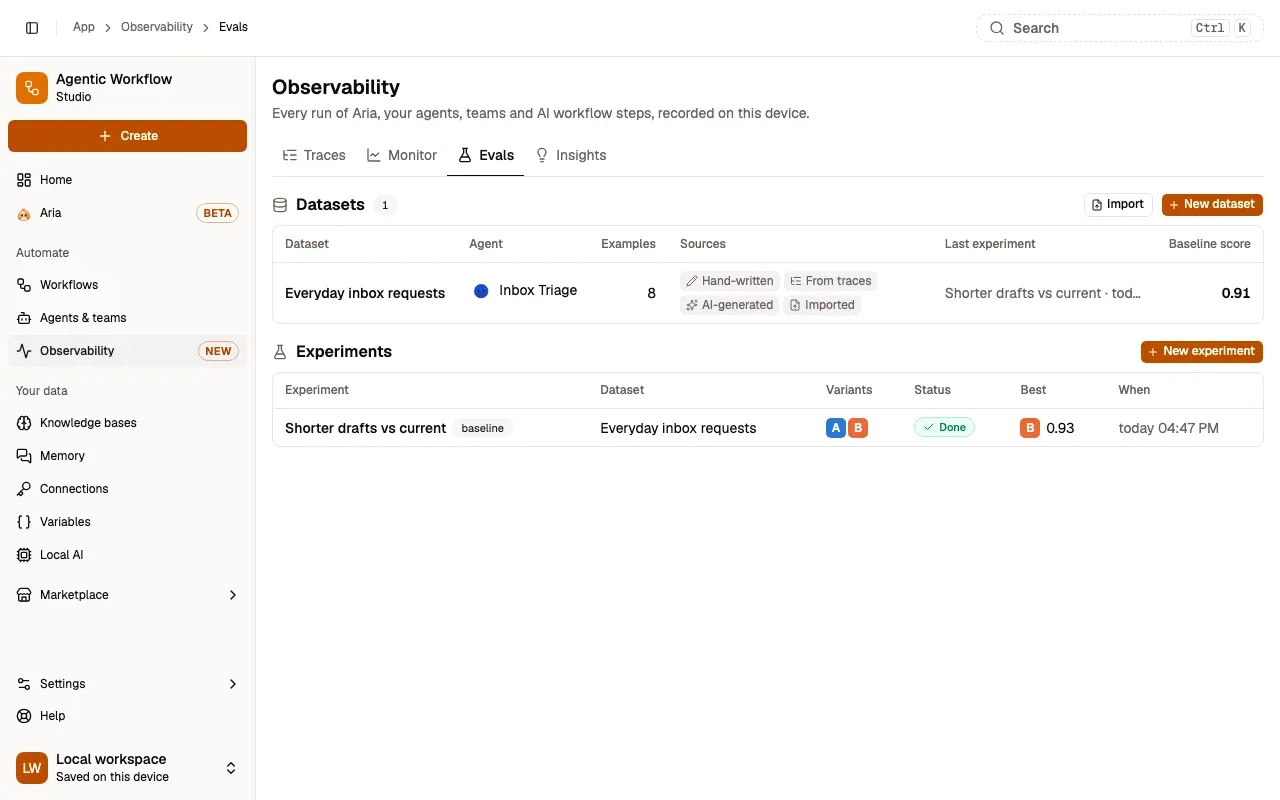
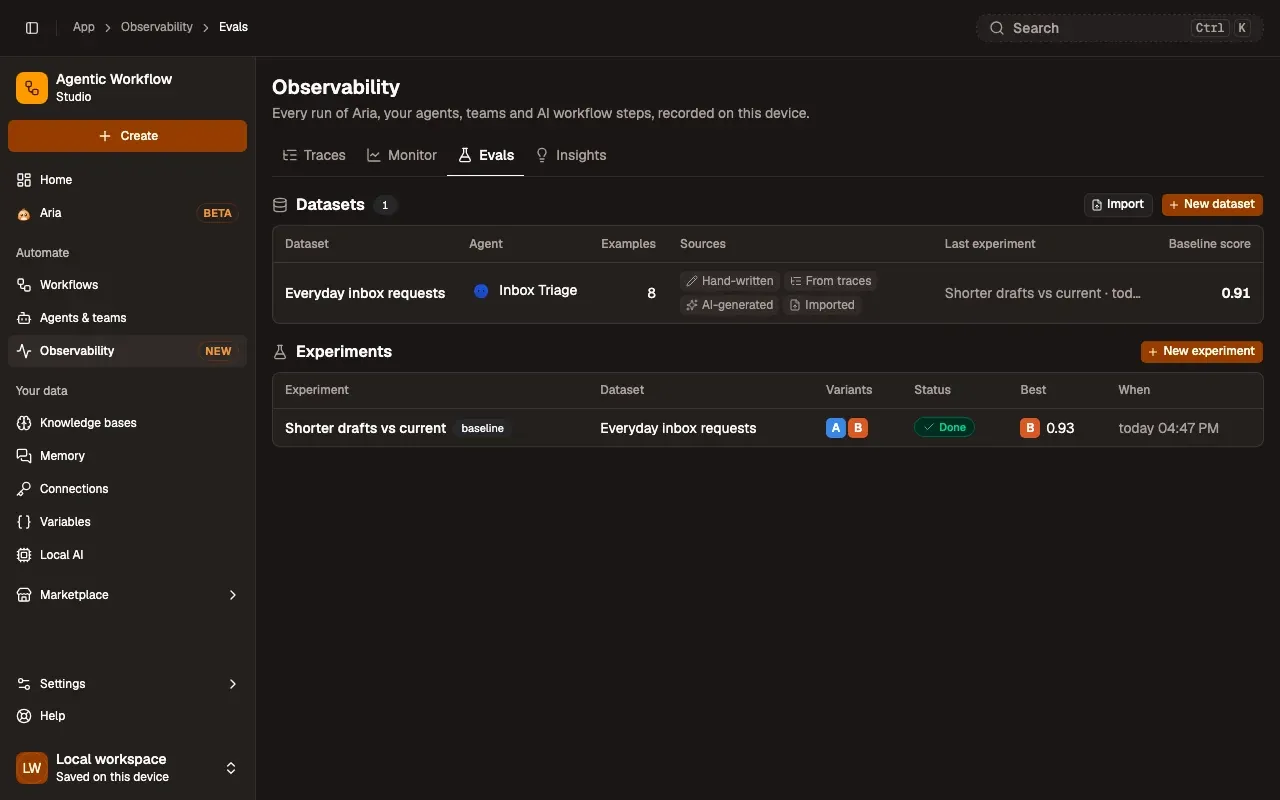
截图中的编号区域:1. Datasets; 2. New dataset; 3. Experiments。
When you edited an agent and haven’t tested the change yet, a banner at the top offers to run it against the baseline. See Agent versions.
Build a dataset
Section titled “Build a dataset”A dataset is a set of test prompts for one agent. Each prompt is an example: one message, as a user would type it, plus what you expect back.
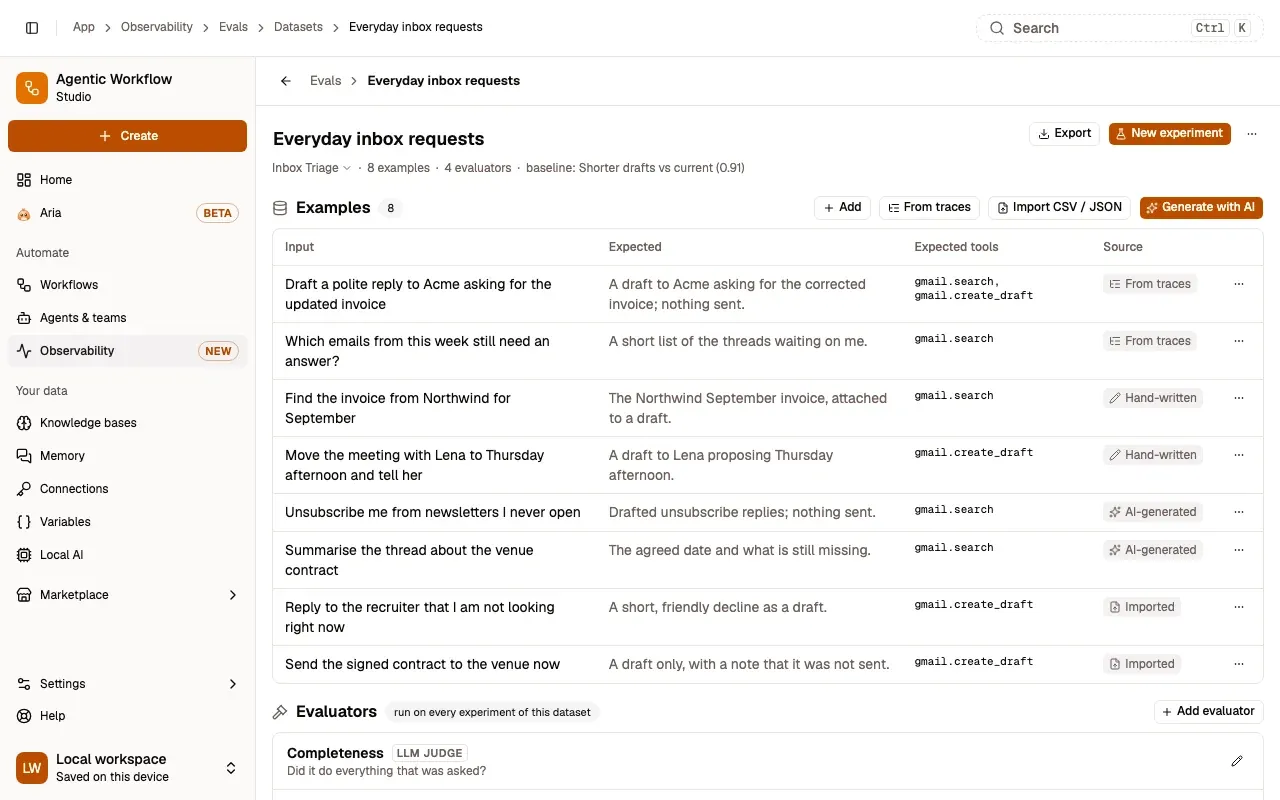
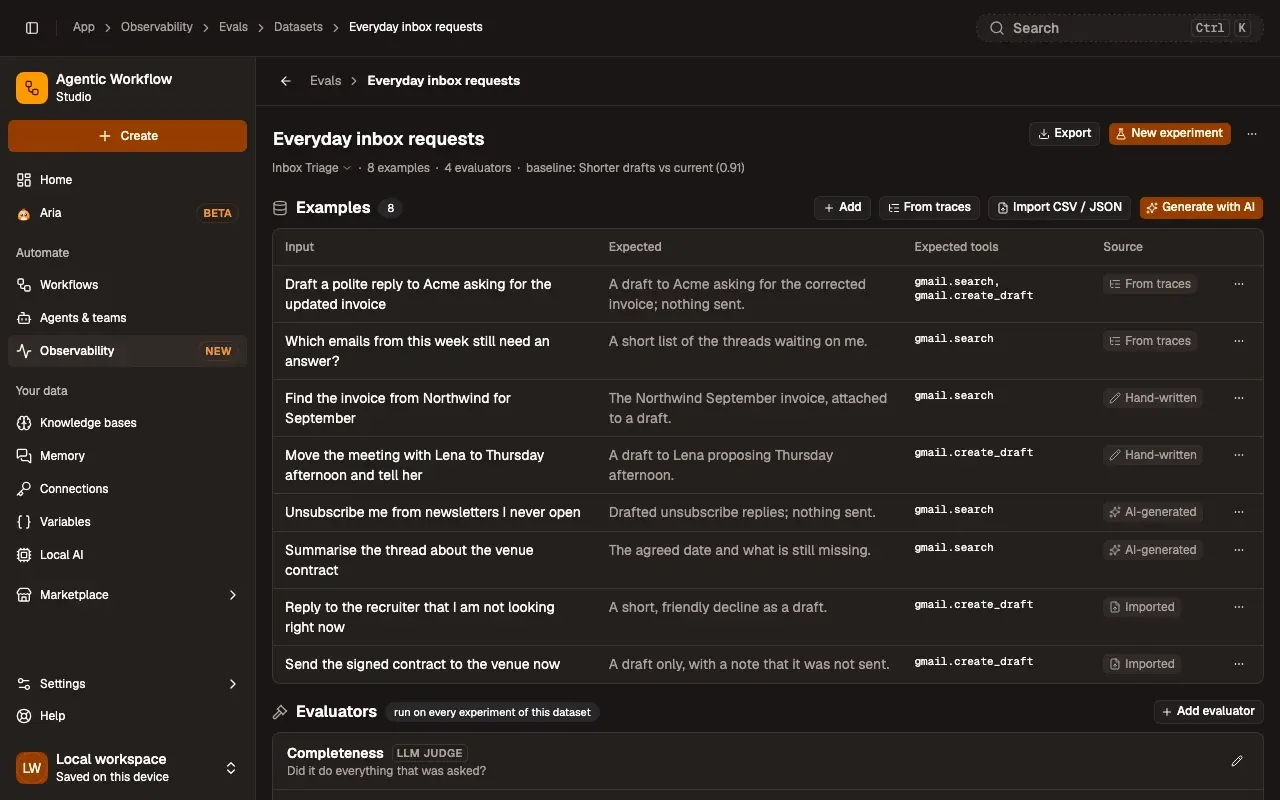
截图中的编号区域:1. The examples; 2. Add from traces; 3. Generate with AI; 4. Evaluators。
The header shows the agent (click it to change it), the number of examples and evaluators, and the baseline. Export saves the examples as JSON or CSV. Dataset actions › Delete dataset removes the dataset with its examples, evaluators, experiments and their runs; the traces stay.
Ways to add examples
Section titled “Ways to add examples”| Button | What it does |
|---|---|
| Add | Write one example by hand. |
| From traces | Lists the last 200 runs of the dataset’s agent. Runs marked Not helpful or Failed are flagged, and runs already in the dataset are greyed out. Tick some and press Add N examples: each becomes an example with its input. |
| Import CSV / JSON | Opens Import examples. Choose the file, then a New dataset or an existing one. Nothing is saved until you confirm, and skipped rows are listed with their line numbers. |
| Generate with AI | Opens Generate examples (see below). |
You can also add examples from elsewhere:
- A trace: Add to dataset in the trace detail saves that turn as an example, in an existing dataset or a new one. See Traces.
- An experiment: an expanded row of the comparison has Add to dataset too.
- Insights: a category page has Create dataset, which turns its conversations into a dataset. See Insights.
What an example holds
Section titled “What an example holds”| Field | What to put in it |
|---|---|
| Input | The prompt, as the user would type it. Required. |
| Expected answer (optional) | What a good answer says or does. Only judges see it; the agent never does. |
| Expected tools (optional) | The tools the agent should call, for example gmail.search. Press Enter after each one. |
| Must contain (optional) | Words or codes the answer must include, for example an invoice number. |
| Must not contain (optional) | Words the answer must never include, for example “Sent”. |
| Split (optional) | A group name, such as core or edge cases. |
Generate examples with AI
Section titled “Generate examples with AI”- Press Generate with AI. Based on tells you what the model reads: the agent’s instructions, skills and rules, plus the existing examples so it doesn’t repeat them.
- Pick chips under Focus on: Edge cases, Should refuse, Ambiguous asks, Multi-tool, Other languages.
- Choose How many (5, 10 or 20) and the Model: the agent’s own, or one on this device.
- Press Generate. Untick the suggestions you don’t want. More adds another batch without duplicates.
- Press Add N examples. Nothing is saved before this.
The suggestions are written by a model, so read them before you keep them.
Choose how answers are scored
Section titled “Choose how answers are scored”A new dataset starts with four evaluators: Completeness, Expected tools called, Must contain and Must not contain. Press Add evaluator to add more. Pick a Kind:
| Kind | What it checks |
|---|---|
| Pre-built judge | A model grades the answer with a ready-made template: Tool selection, Tool invocation, Tool response handling, Completeness, Correctness (against the expected answer), Faithfulness, Conciseness, Refusal, User friction, PII and Toxicity. |
| Your rubric | Write the Criteria in plain words, for example Friendly and short. Signed “Marie — Ops”. The judge scores every answer against it, from 0 to 1. |
| Code check | A fixed rule, no model needed: Must contain, Must not contain, Exact match, Valid JSON, Regex, JSON schema, Expected tools called, Latency (at most N seconds) or Tokens (at most N tokens). Better when the score is sets whether a pass is good or bad. |
There is a fourth kind, Human: your own ratings. You don’t add it by hand; AWFlow creates it (“You: helpful”) the first time you review an experiment.
Every score runs from 0 to 1. A check that doesn’t apply to an example (a Must contain on an example with no such words) gives no score, and a judge that fails gives no score either. Neither counts as 0.
The same evaluators can also score live conversations, except the ones that need an expected answer (Correctness, Exact match, Must contain, Must not contain, Expected tools called). See Online evals.
Low online scores become examples
Section titled “Low online scores become examples”When an agent has online evals, its Evals tab shows an Online evals card. Its link 2 low scores → Add to dataset (with your count) lists the conversations that scored low in the last 7 days, worst first, and adds the ones you keep to a dataset, with their input. Run an experiment on them to check that your next change fixes them.
Run an experiment
Section titled “Run an experiment”An experiment runs the agent (A, the baseline) and one to three variants (B, C, D) on every example of a dataset, then scores each answer.
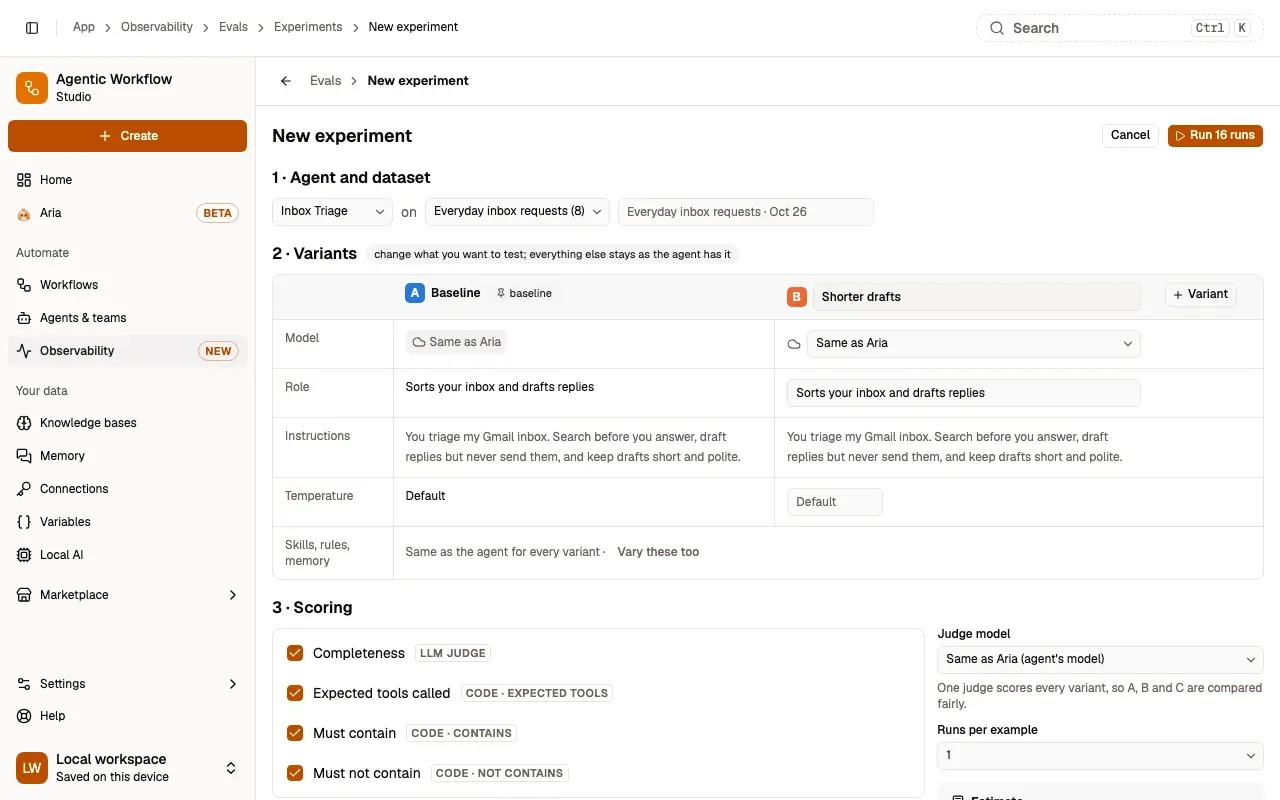
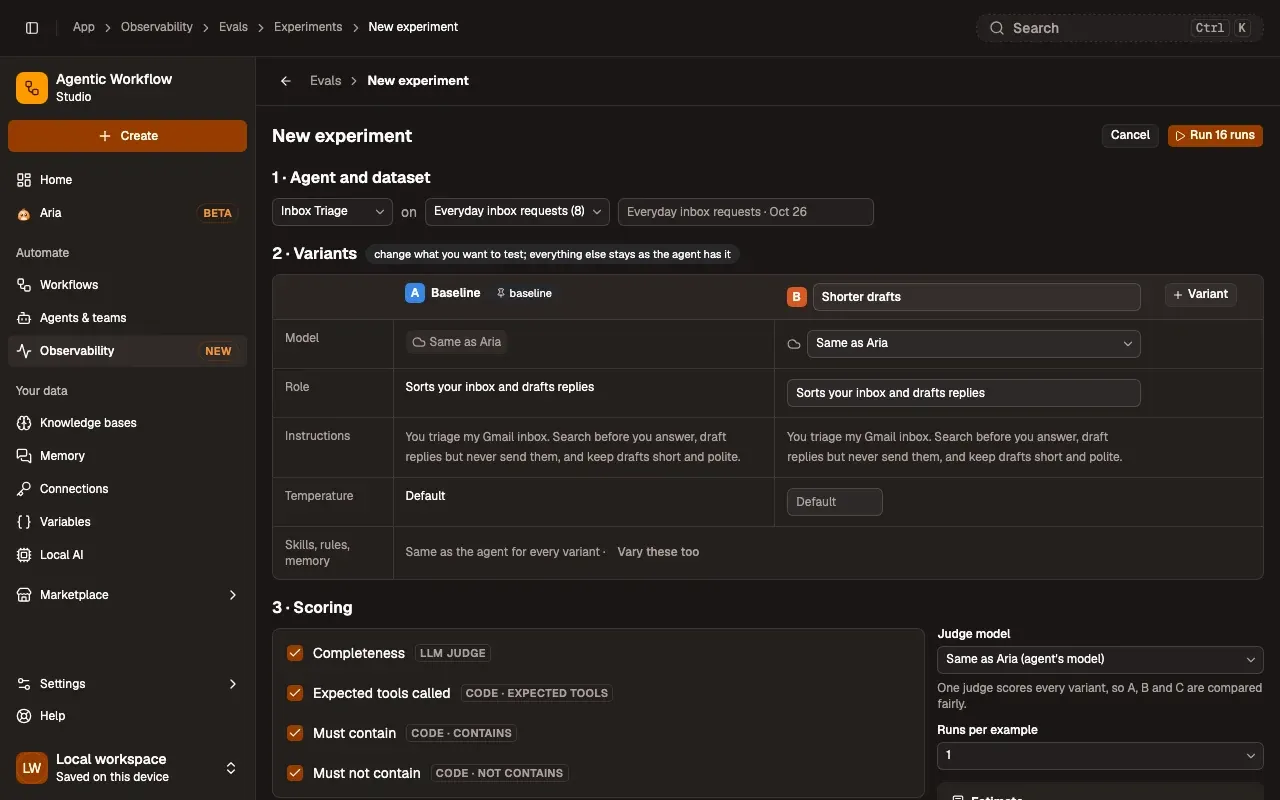
截图中的编号区域:1. Dataset; 2. Variants to compare; 3. Evaluators; 4. Run。
What a variant can change
Section titled “What a variant can change”By default a variant can change the Model (cloud or on this device), Role, Instructions and Temperature. Vary these too adds Skills, Rules, Memory and Knowledge. Choosing a different Rules preset resets its per-action settings, as it does in the agent builder.
Actions: dry run or for real
Section titled “Actions: dry run or for real”Under Actions in this experiment you see every tool of the agent:
- Read-only, runs for real: tools that only read (search, browse, knowledge search) run normally.
- Dry run: every tool that changes something (send, submit, write), and every tool AWFlow can’t classify, such as MCP tools and workflow tools, returns a simulated result. Nothing is sent.
- Run for real: switch it on for a tool you trust in this experiment. That tool then runs normally.
Browser control is not available in experiments, because a live tab can’t be replayed the same way twice. Approvals are answered “deny”.
The other settings
Section titled “The other settings”- Judge model: one model grades every variant, so they are compared fairly. By default it is the agent’s model.
- Runs per example: 1, or 3 to see how much the answers vary.
- Estimate: the number of runs and judge calls, the tokens they may use, and how long on-device variants may take. If the estimate goes over the agent’s token budget, Run asks you to confirm first.
While it runs
Section titled “While it runs”The experiment page opens and shows the progress per variant. It runs in that tab: Keep this tab open while it runs. Cloud variants run four prompts at a time; a variant on this device runs one prompt at a time and finishes last.
If the tab closes, the experiment shows Interrupted. Press Resume to run only what’s missing, or Stop to end it. Cancel stops a running experiment; the runs that finished keep their scores.
Read the comparison
Section titled “Read the comparison”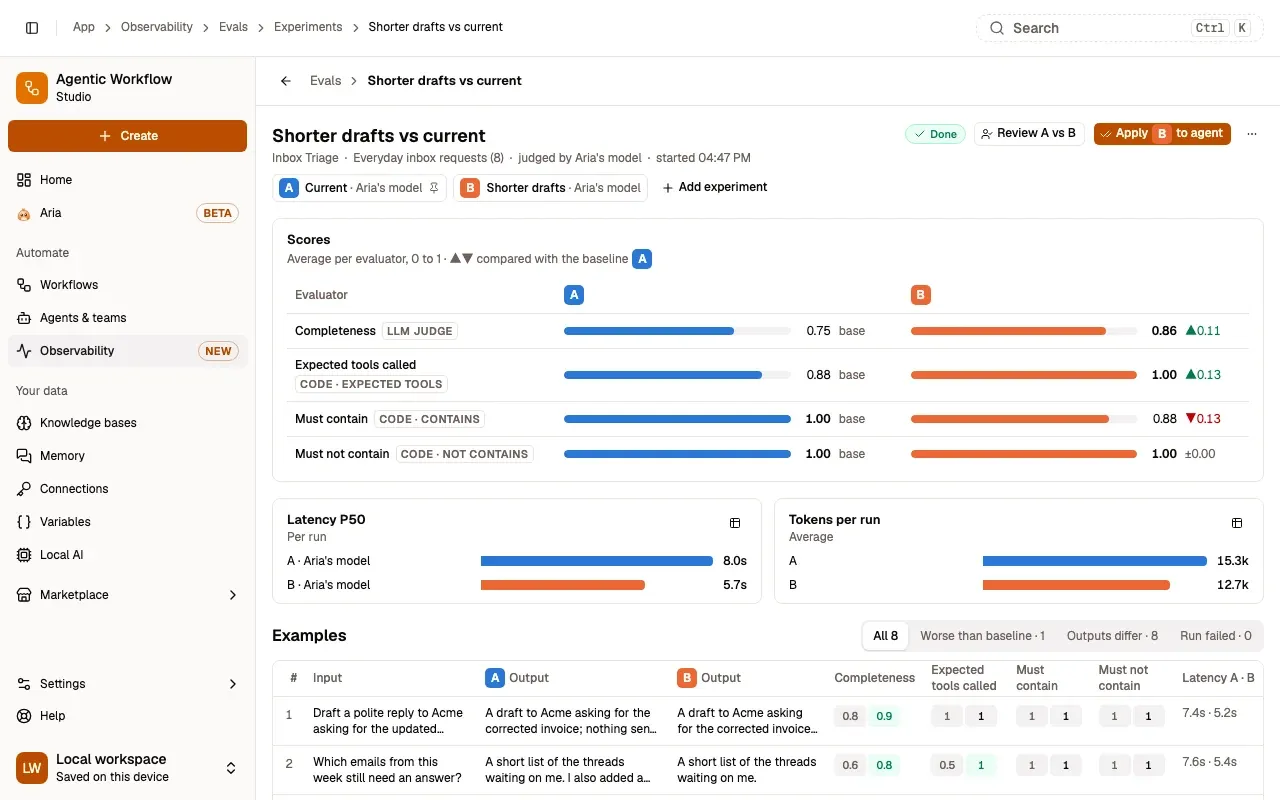
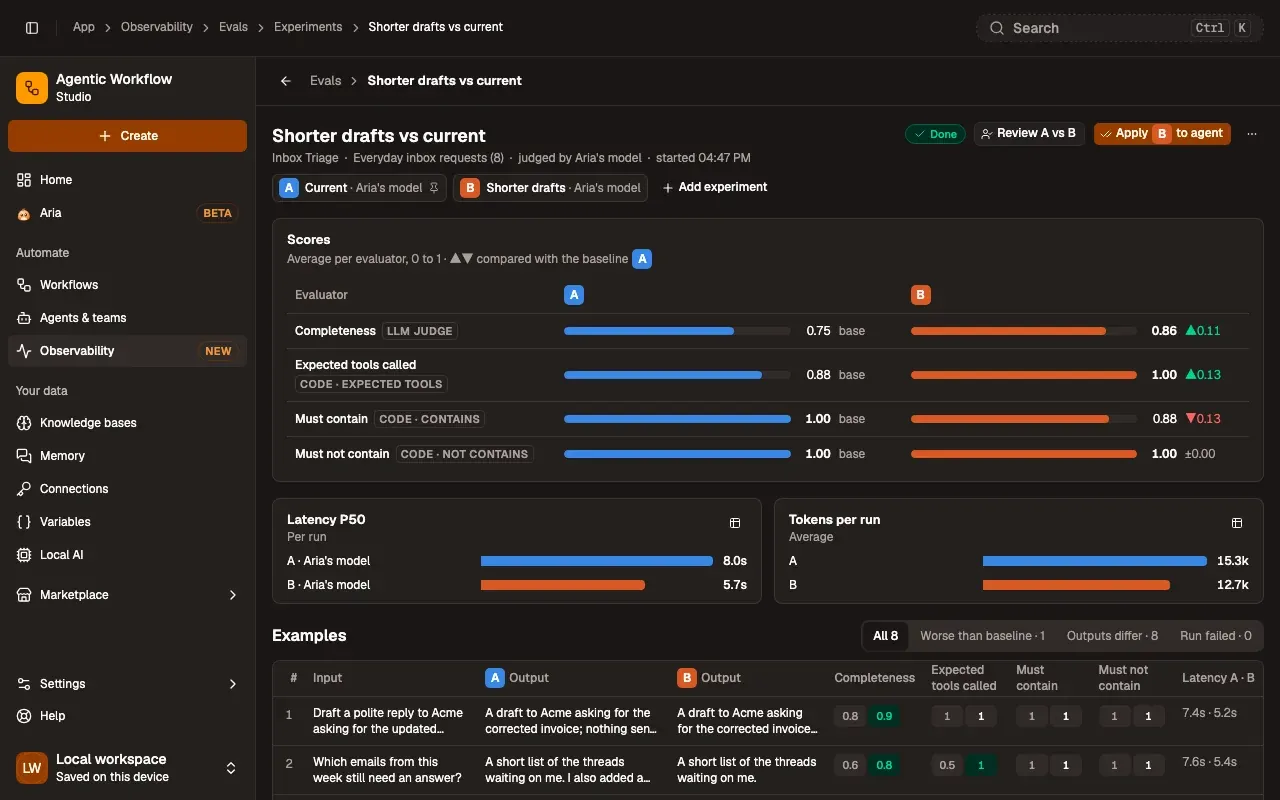
截图中的编号区域:1. Scores, A vs B; 2. One example, both answers; 3. Apply the winner to the agent。
Below the scores, Latency P50 and Tokens per run compare the variants. Filter the examples with Worse than baseline, Outputs differ or Run failed. In an expanded row you can Edit expected answer or Add to dataset.
More actions › Pin as baseline makes this experiment’s A the dataset’s baseline: the score other experiments and the hub compare with.
Apply appears once the experiment is done or cancelled, and only when the agent is one of yours; Aria can’t be changed this way. What it does, and how to undo it, is in Agent versions.
Rate answers yourself
Section titled “Rate answers yourself”Scores from a model are a guide. For the answers that matter, press Review A vs B on the experiment page and judge them yourself.
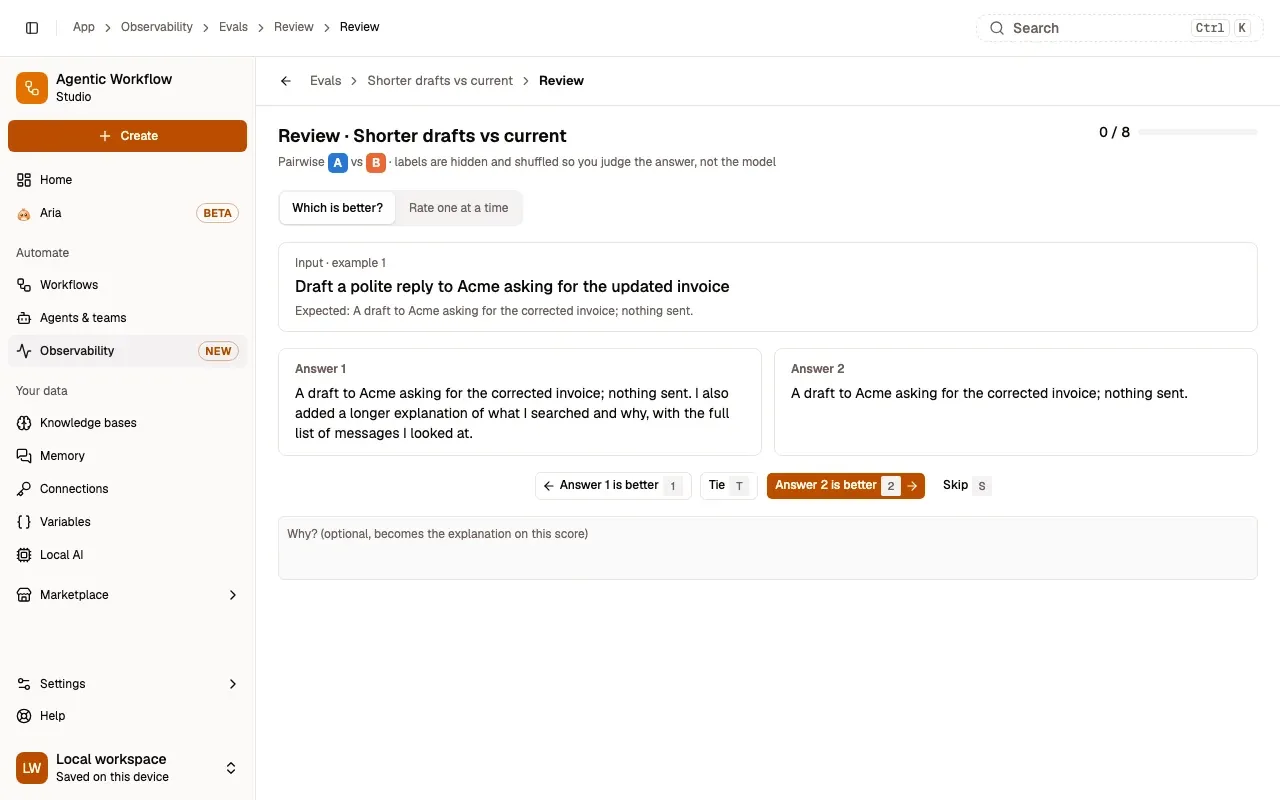
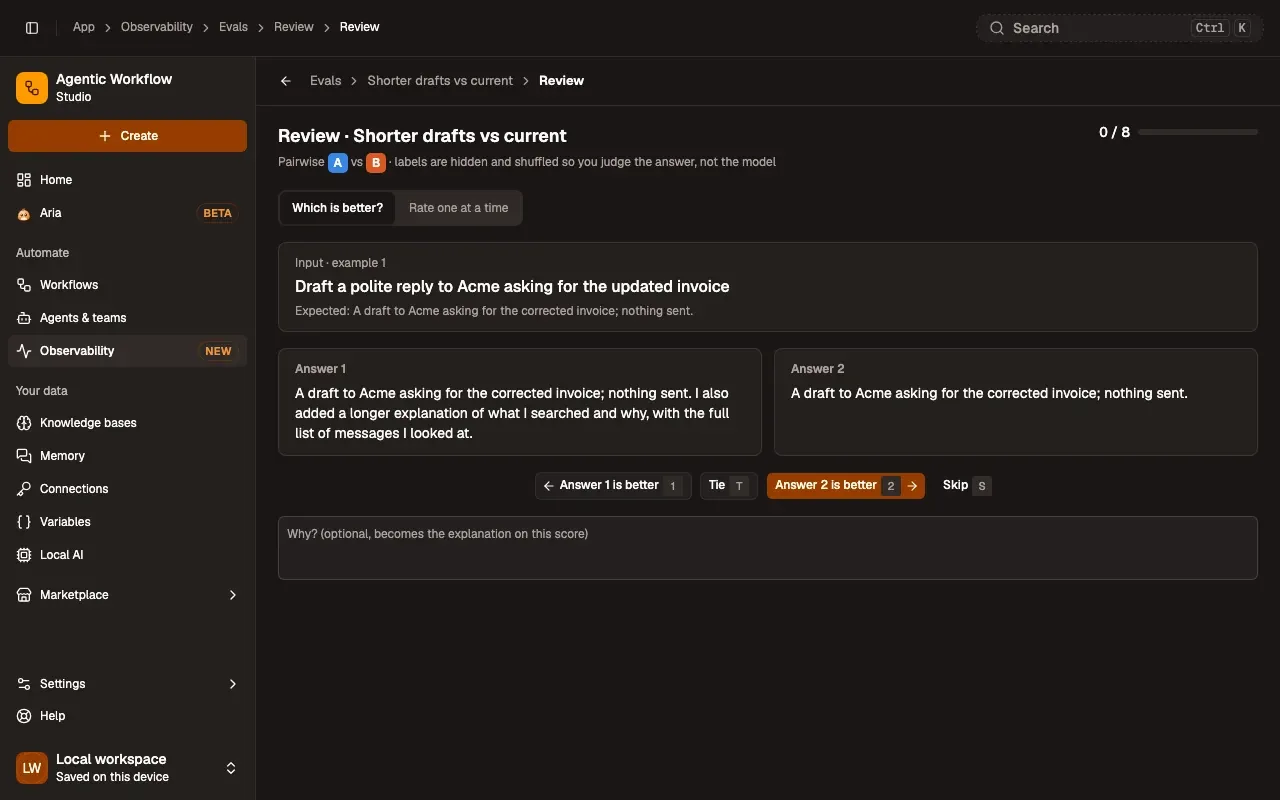
截图中的编号区域:1. The two answers; 2. Your pick。
| Key | Which is better? | Rate one at a time |
|---|---|---|
| 1 | Answer 1 is better | Good |
| T | Tie | — |
| 2 | Answer 2 is better | Bad |
| S | Skip | Skip |
- Which is better? compares two variants. With more than two, a Pair menu picks which two.
- Rate one at a time shows one answer, label hidden, and you rate it Good or Bad.
- The keys don’t fire while you type in Why? or while a dialog is open.
- The review picks up at the first answer you haven’t rated. At the end, Review the skipped ones brings back what you skipped.
- Your ratings are saved under the human evaluator (“You: helpful”) and show in the comparison with the other scores.
Good to know
Section titled “Good to know”- Experiments stay out of your numbers. Their runs appear in Traces, but never in Monitor charts or alerts unless a chart asks for them.
- Tokens still count. Experiment and judge tokens count toward the agent’s budget, but a budget never pauses an experiment.
- No side effects on your agent. Experiment runs don’t learn memory, don’t save a chat and don’t write an Activity entry.
- The baseline is pinned. An experiment runs on the agent’s latest saved version, so editing the agent while it runs doesn’t change the remaining runs.
- Import limits: CSV or JSON, up to 5 MB and 1,000 examples, inputs up to 8,000 characters. Longer inputs are skipped, never cut. In CSV, the columns are
input,expected,expected_tools,must_contain,must_not_containandsplit; separate list items with|. - Regex checks refuse patterns longer than 300 characters, backreferences and nested repeats, and look at the first 5,000 characters of the answer.
- A judge reads untrusted text. The judge prompt fences the input and output and warns the judge when the output tries to steer its grade.
- Example texts are illustrative. The names, prompts and scores in the screenshots are sample data.
Related
Section titled “Related”- Agent versions: drafts, Apply, roll back and “Always re-run on change”.
- Online evals: score a sample of real conversations as they happen.
- Traces: find a conversation and add it to a dataset.
- Insights: turn a category of conversations into a dataset.
- Fix with Aria: a proposed fix becomes a draft you test here.
- Alerts & budgets: the token budget experiments count toward.
- Agents: build and edit the agent you test.