跳转到内容
Agentic Workflowdocs
v0.8.2免费安装

配方 / capture to my apps

Save the page you're on to an Airtable reading list

Right-click any page and its title and link land as a new row in your Airtable base. Build a reading list without copy-paste.

此内容尚不支持你的语言。

入门 5 分钟 需要连接 · Airtable 保存到我的应用

工作流 · save-page-to-airtable.awf 3 个步骤

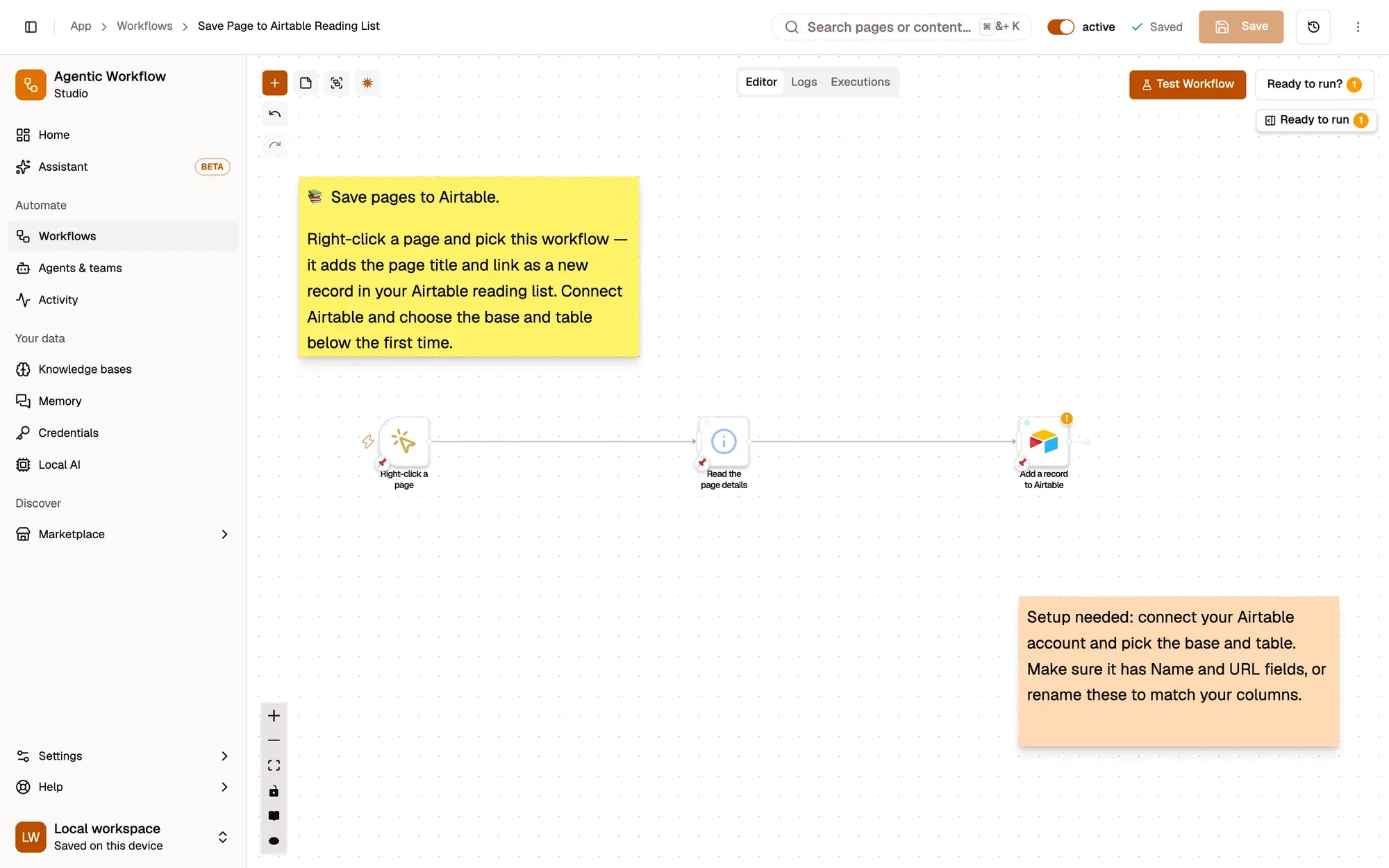
Save Page to Airtable Reading List:包含 3 个步骤的工作流,从 Right-click a page 开始,到 Add a record to Airtable 结束。

Right-click a page → read its title and link → add a row to Airtable.
  1. Right-click the page

    Context Menu 节点参考

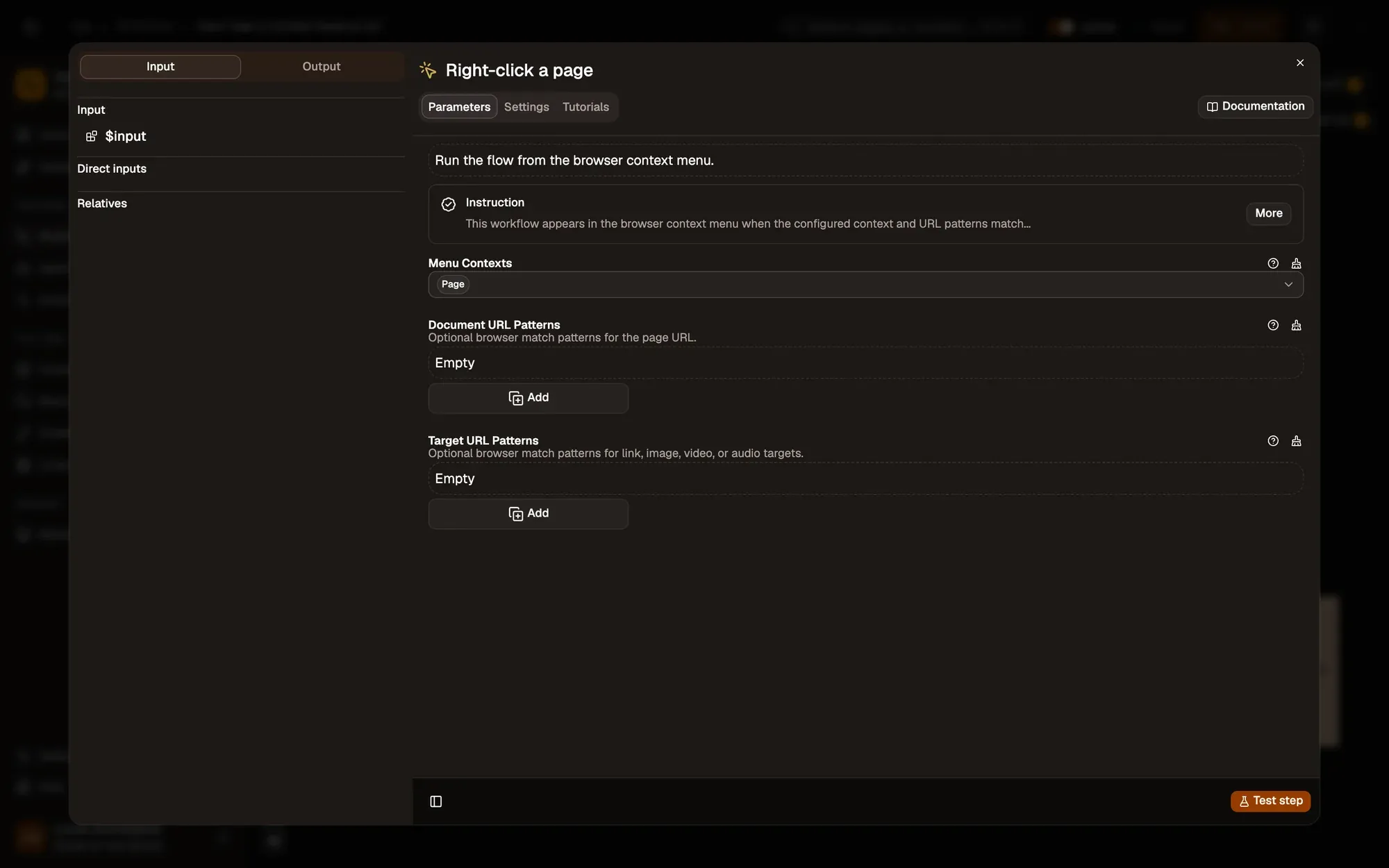
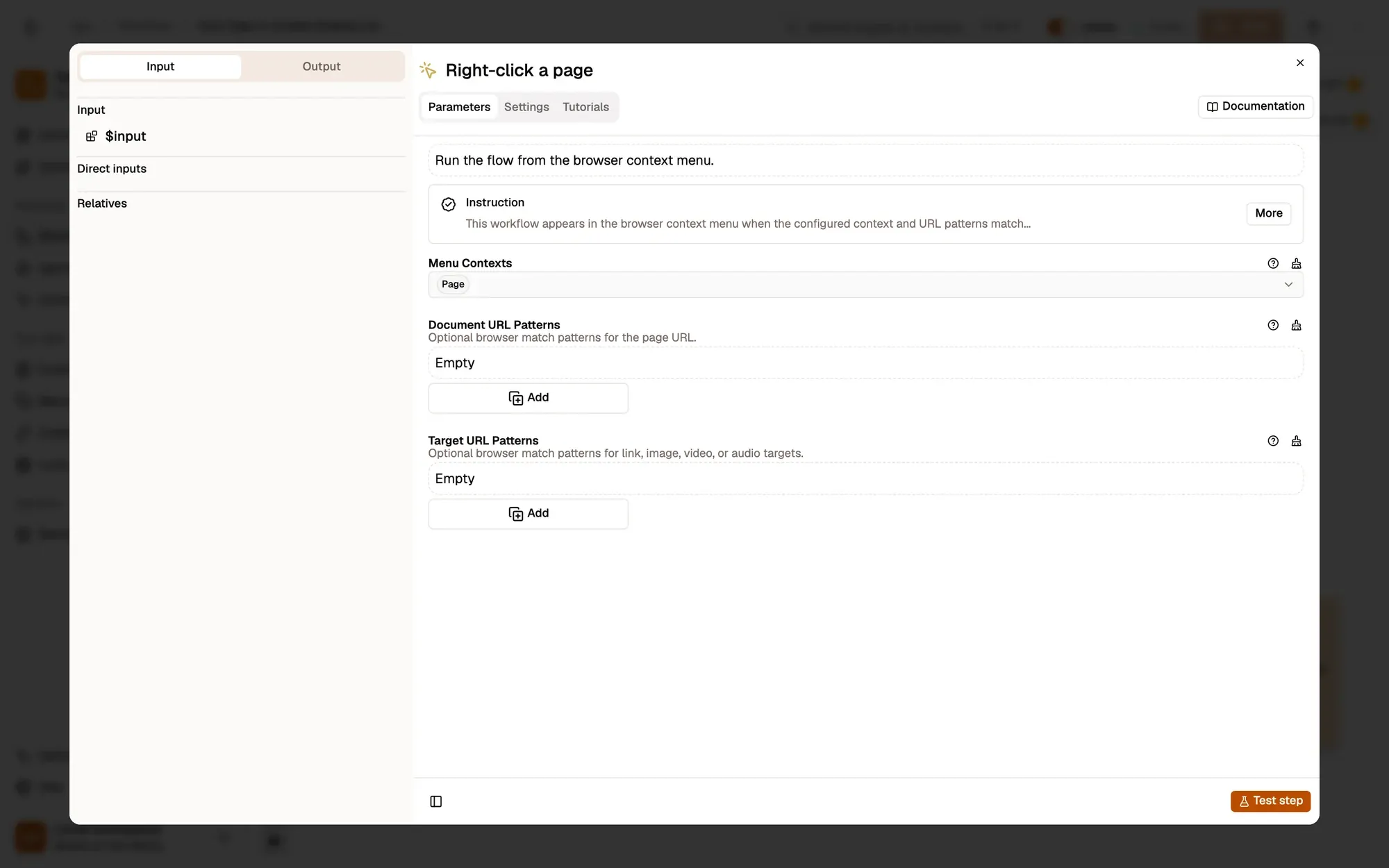
    With Menu Contexts set to Page, the workflow appears when you right-click anywhere on a page.

    按需调整 — add Link to Menu Contexts to save a link you right-click instead of the page (then map linkUrl).

    The Menu Contexts field
    The settings of the Right-click a page trigger (Context Menu): Menu Contexts set to Page, and empty Document URL Patterns and Target URL Patterns lists with Add buttons.The settings of the Right-click a page trigger (Context Menu): Menu Contexts set to Page, and empty Document URL Patterns and Target URL Patterns lists with Add buttons.
  2. Read the page details

    Get Page Metadata 节点参考

    Get Page Metadata returns the page's title, url, description and other details, with no settings to fill in.

    按需调整 — map its description to a Notes column in the next step.

    Read the page details
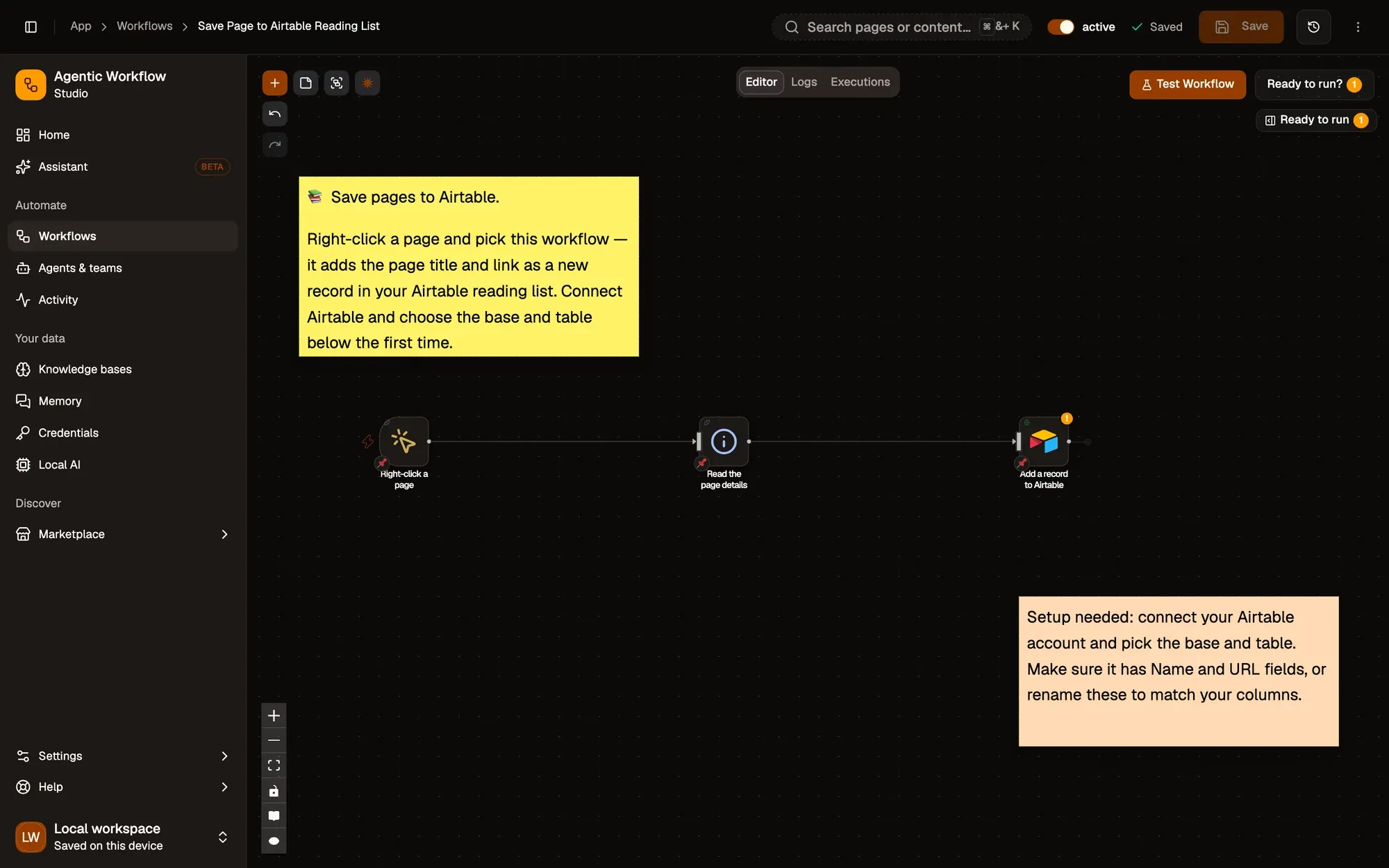
    The workflow editor with the Save Page to Airtable Reading List recipe: sticky notes and the steps Right-click a page, Read the page details, Add a record to Airtable, linked left to right. The top bar shows the Workflow active switch and Save; Test Workflow is above the canvas.The workflow editor with the Save Page to Airtable Reading List recipe: sticky notes and the steps Right-click a page, Read the page details, Add a record to Airtable, linked left to right. The top bar shows the Workflow active switch and Save; Test Workflow is above the canvas.
  3. Add a row to Airtable

    AirTable 节点参考

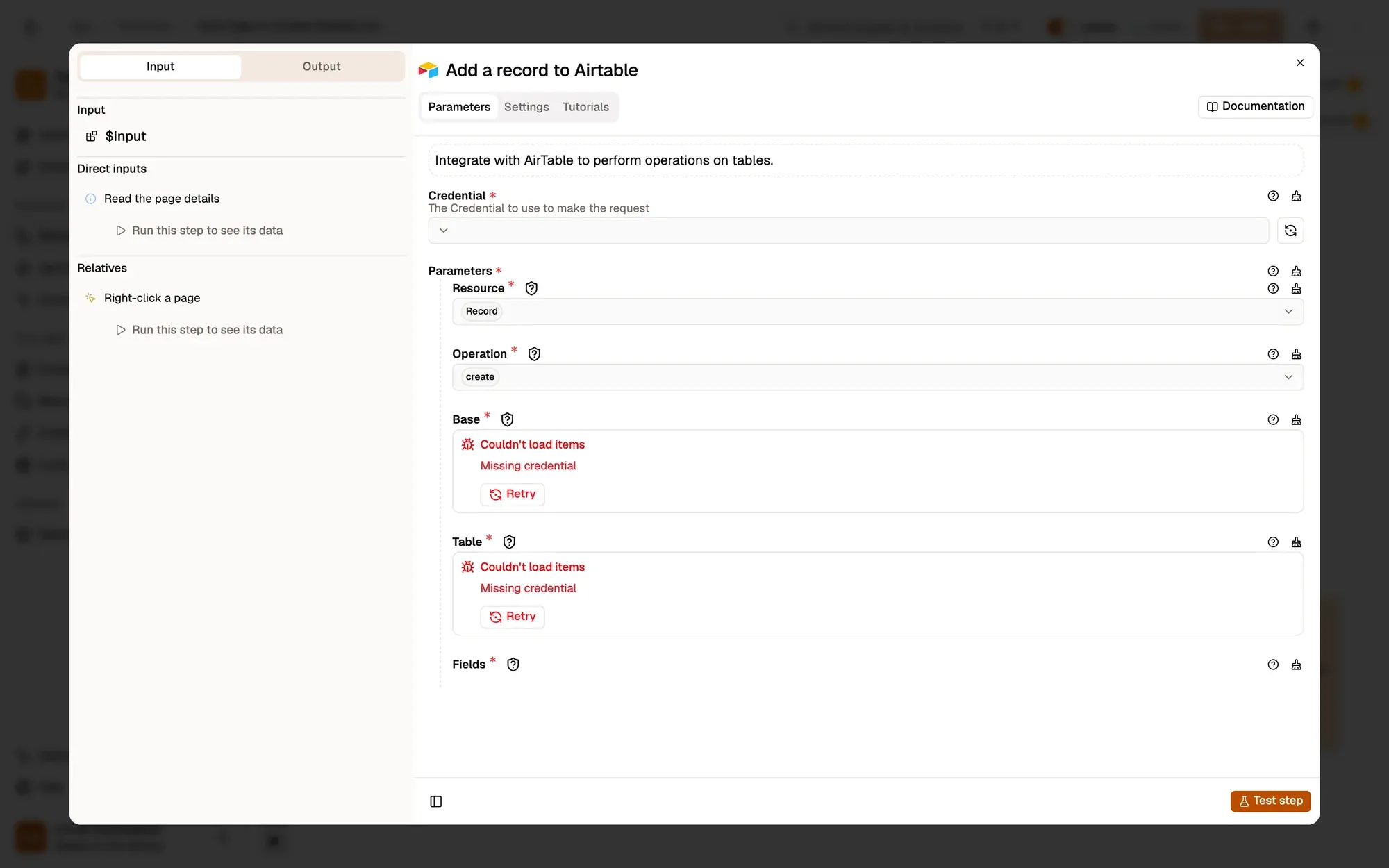
    Creates a record with Name = {{ $input.title }} and URL = {{ $input.url }} in the base and table you pick.

    按需调整 — pick your base and table, rename the field keys to match your column names, and add more, such as Saved on.
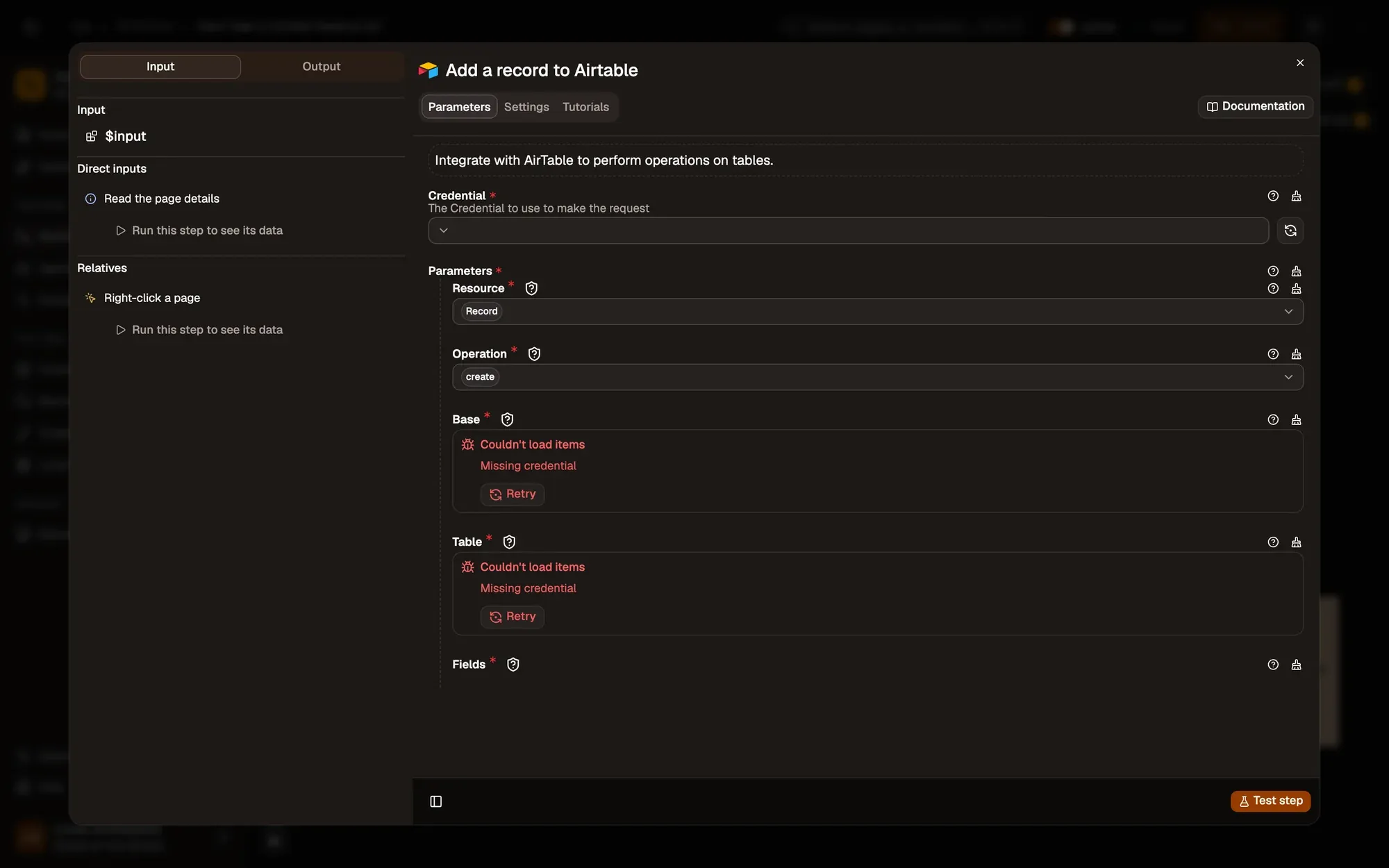
    The Base field
    The settings of the Add a record to Airtable step: an empty Credential menu, then Resource Record, Operation create, Base and Table (which cannot load items without a credential) and Fields.The settings of the Add a record to Airtable step: an empty Credential menu, then Resource Record, Operation create, Base and Table (which cannot load items without a credential) and Fields.
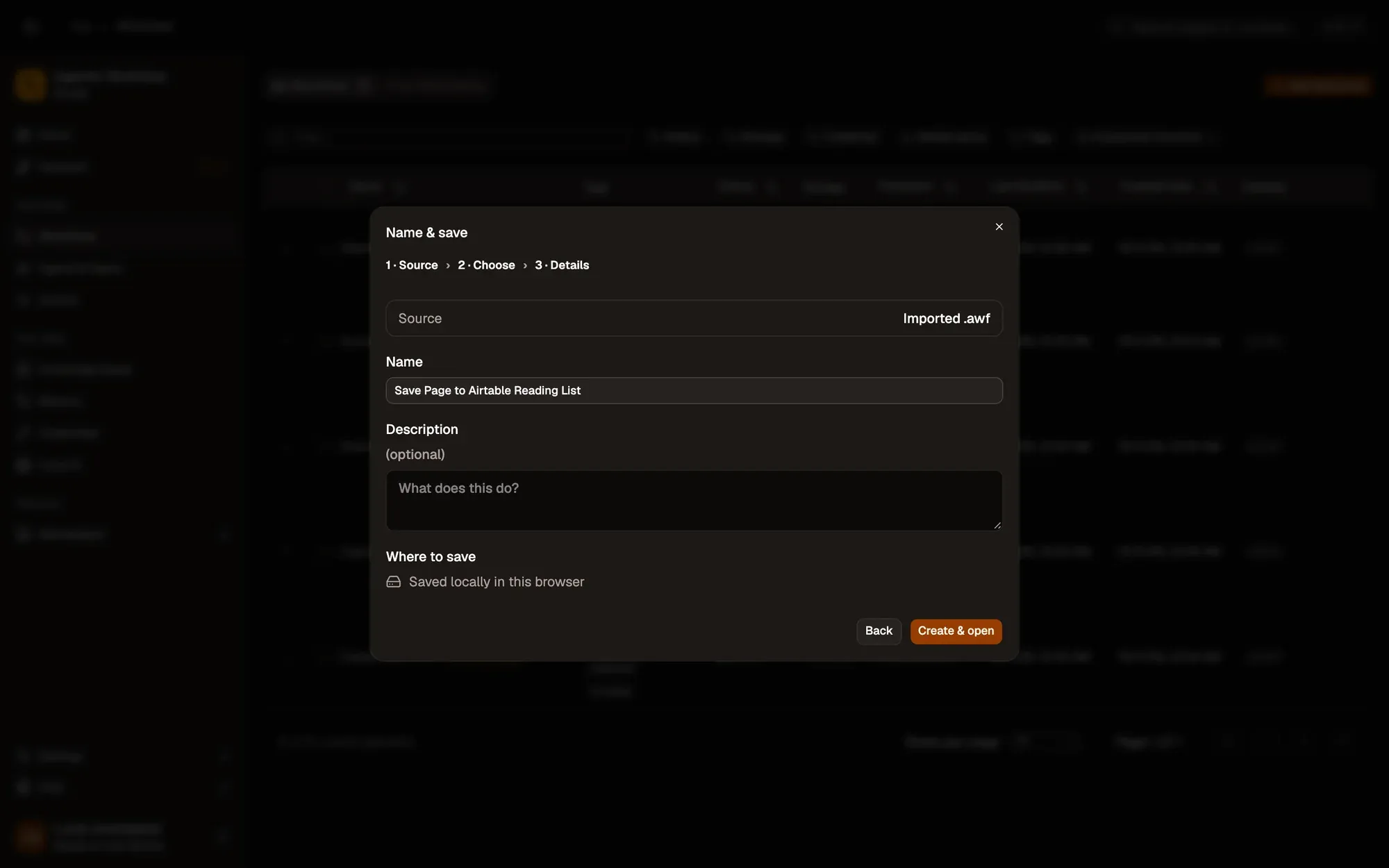
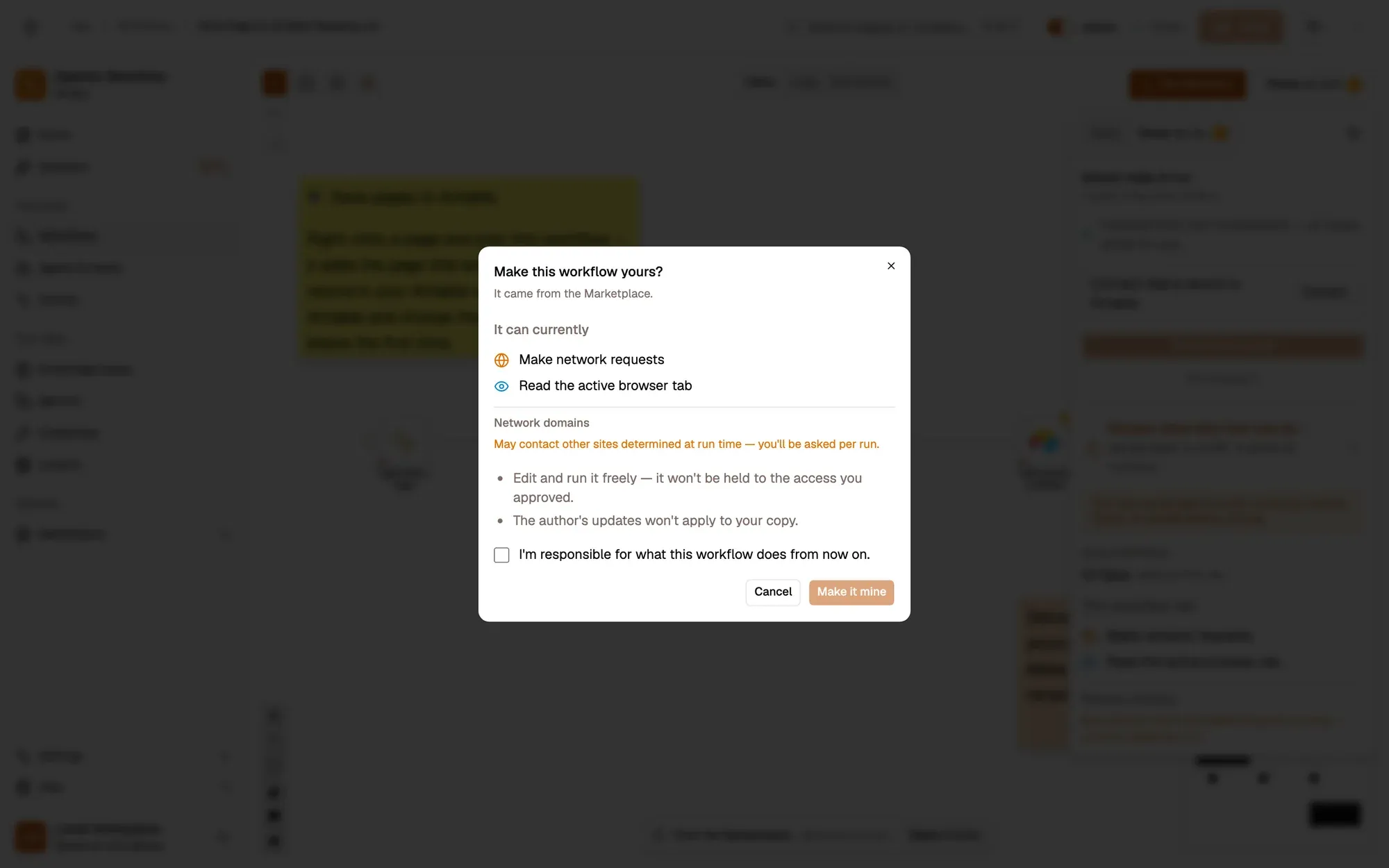
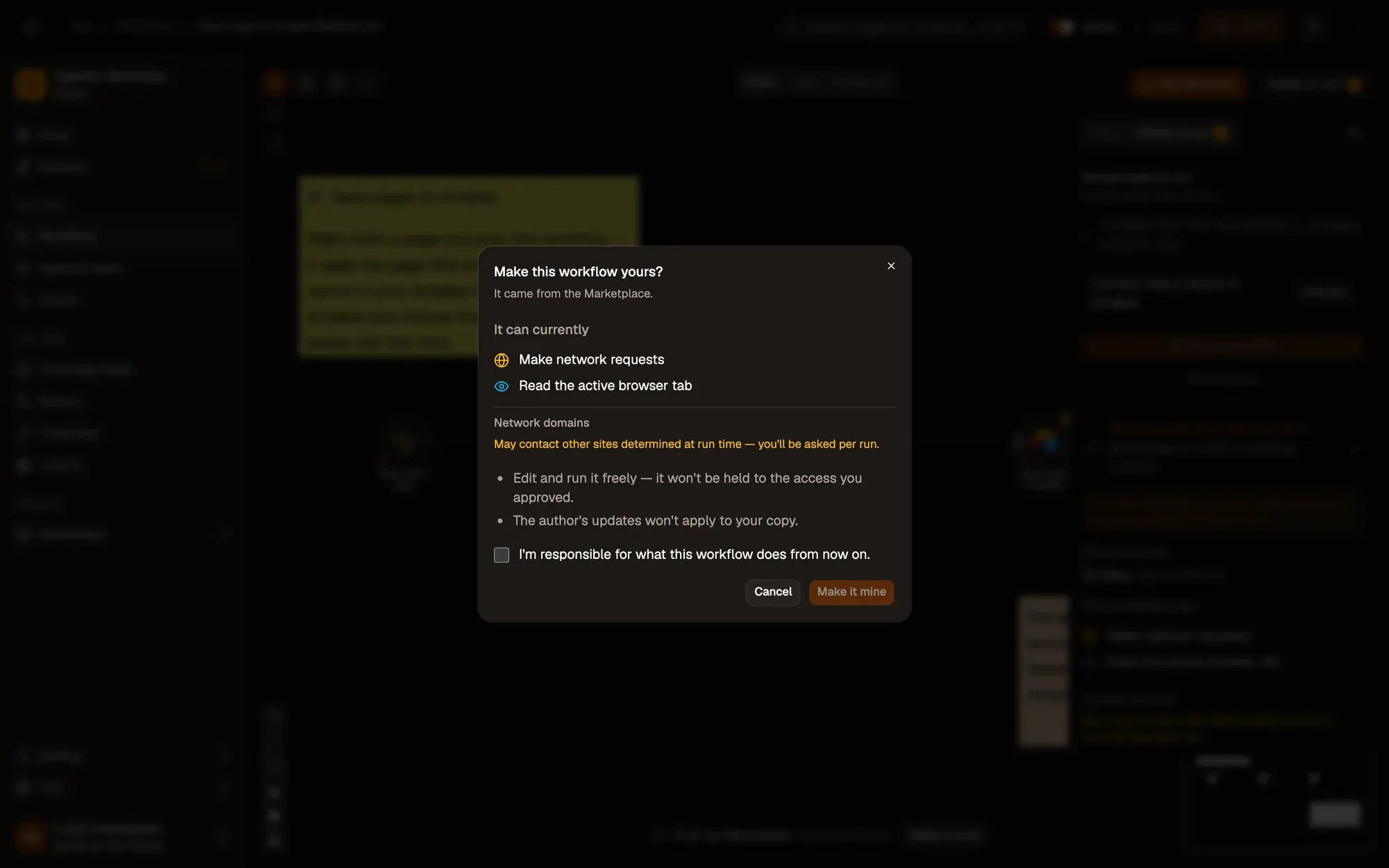
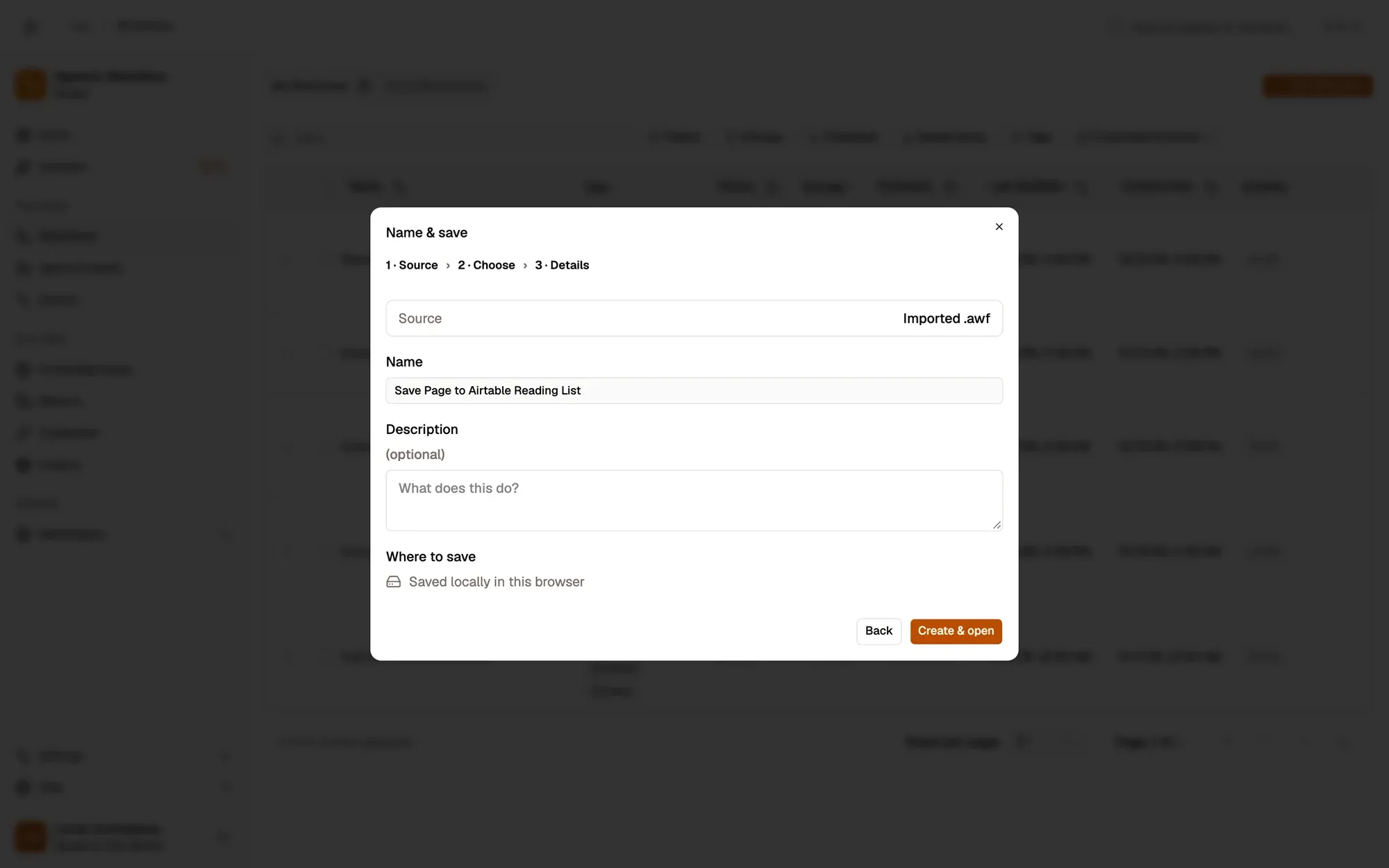
  1. Install the recipe. Open Add a record to Airtable, choose or create an Airtable connection, then pick the Base and Table. See AirTable. To import the file yourself, use Add Workflow › Import, choose the .awf and click Create & open. Then click Make it mine at the bottom of the canvas, tick the box and confirm, so you can edit it. To add the connection itself, see Create a connection.

    Create & open
    The Create a workflow dialog at step 3, Name & save, after importing save-page-to-airtable.awf: Source Imported .awf, Name “Save Page to Airtable Reading List”, an optional Description, Where to save “Saved locally in this browser”, and the Back and Create & open buttons.The Create a workflow dialog at step 3, Name & save, after importing save-page-to-airtable.awf: Source Imported .awf, Name “Save Page to Airtable Reading List”, an optional Description, Where to save “Saved locally in this browser”, and the Back and Create & open buttons.
    Make it mine
    The Make this workflow yours? dialog over the Save Page to Airtable Reading List workflow: it came from the Marketplace, It can currently lists what the workflow may access, two notes on what changes, the “I'm responsible for what this workflow does from now on.” checkbox, and Cancel and Make it mine.The Make this workflow yours? dialog over the Save Page to Airtable Reading List workflow: it came from the Marketplace, It can currently lists what the workflow may access, two notes on what changes, the “I'm responsible for what this workflow does from now on.” checkbox, and Cancel and Make it mine.
    The Credential menu (an Airtable connection)
    The settings of the Add a record to Airtable step: an empty Credential menu, then Resource Record, Operation create, Base and Table (which cannot load items without a credential) and Fields.The settings of the Add a record to Airtable step: an empty Credential menu, then Resource Record, Operation create, Base and Table (which cannot load items without a credential) and Fields.
  2. Make sure the table has a Name and a URL column (or rename the keys in the node to your columns).

  3. Save and activate the workflow.

    Workflow active switch
    The workflow editor with the Save Page to Airtable Reading List recipe: sticky notes and the steps Right-click a page, Read the page details, Add a record to Airtable, linked left to right. The top bar shows the Workflow active switch and Save; Test Workflow is above the canvas.The workflow editor with the Save Page to Airtable Reading List recipe: sticky notes and the steps Right-click a page, Read the page details, Add a record to Airtable, linked left to right. The top bar shows the Workflow active switch and Save; Test Workflow is above the canvas.
  4. Right-click any page and choose Agentic Workflow › Personal Workflows › Save Page to Airtable Reading List.

  5. Open the table in Airtable: a new row shows the page title and link.
Variation What to change Level
Save to Notion instead Replace the Airtable step with Notion and pick your database. Beginner
Save to Google Sheets Replace it with Google Sheets Append and map title and URL to columns. Beginner
Add an AI summary Insert Get All Text and Summarization before Airtable and map the summary to a column. Intermediate
  • “Unknown field name”. A key in the record’s fields doesn’t match a column in your table. Column names are case-sensitive.
  • The run fails on Airtable with an authorization error. The connection’s token can’t reach this base. Give it access to the base in Airtable, then check the connection in AWFlow.
  • The menu entry is missing. Activate the workflow, then right-click and choose Get / Refresh Workflows.
询问 Aria