Skip to content
Agentic Workflowdocs
v0.8.2Install free

use the app / admin

Audit log

See every moderation and Marketplace admin action, who took it and why

Admin

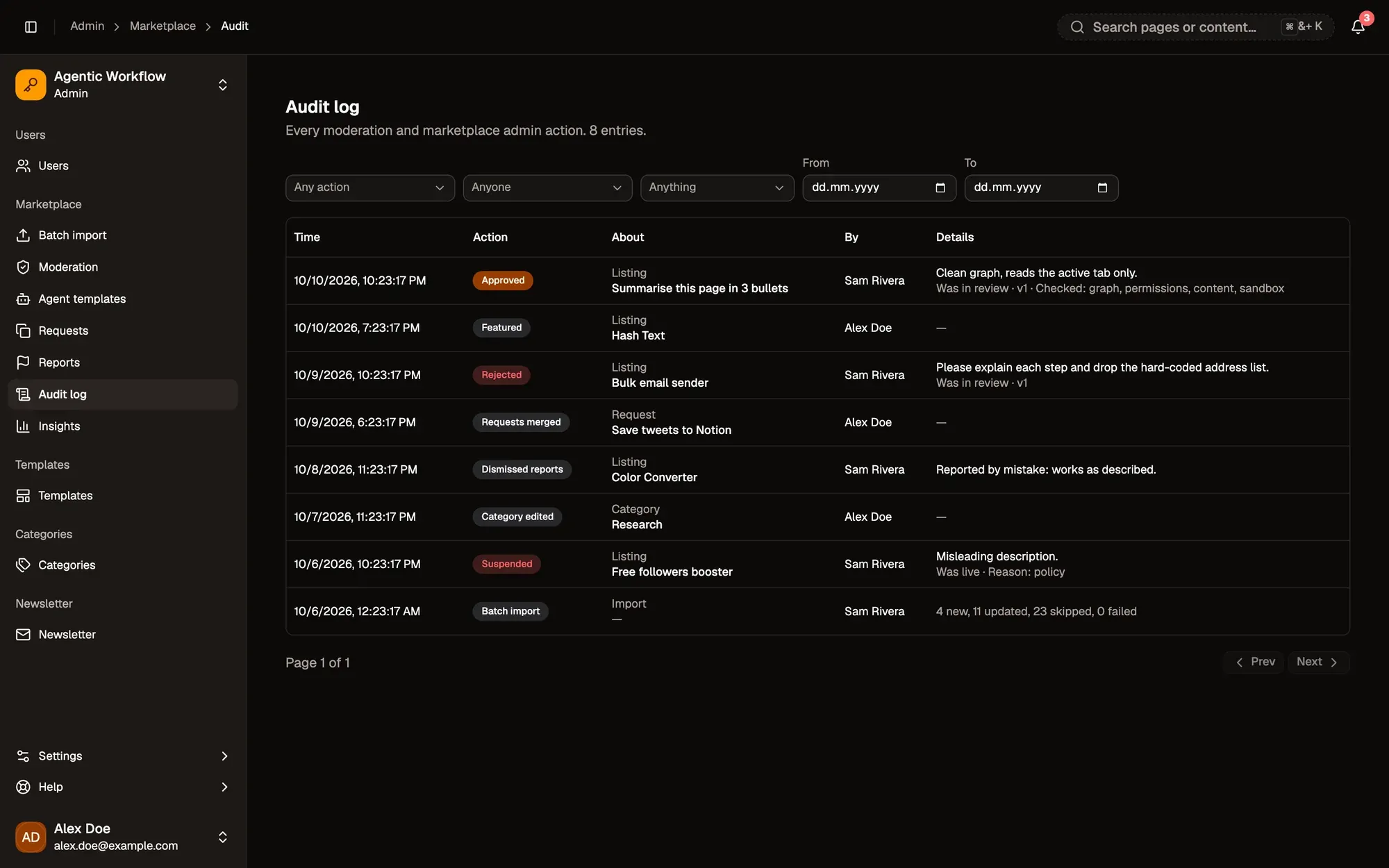
Audit log (Admin panel › Marketplace › Audit log) records every moderation and Marketplace admin action: approvals, rejections, suspensions, dismissed reports, featuring, category and template changes, agent template decisions, request merges and batch imports. It also records what authors did to their own listings, such as stopping or resuming sharing.

Each row shows:

  • Time,
  • Action, such as Approved, Rejected, Featured or Batch import,
  • About: what kind of thing was changed and its name,
  • By: the admin who did it,
  • Details: the note and extra facts, for example the listing’s previous status, the version, the reason, which review checks were ticked, or how many items an import created and updated.
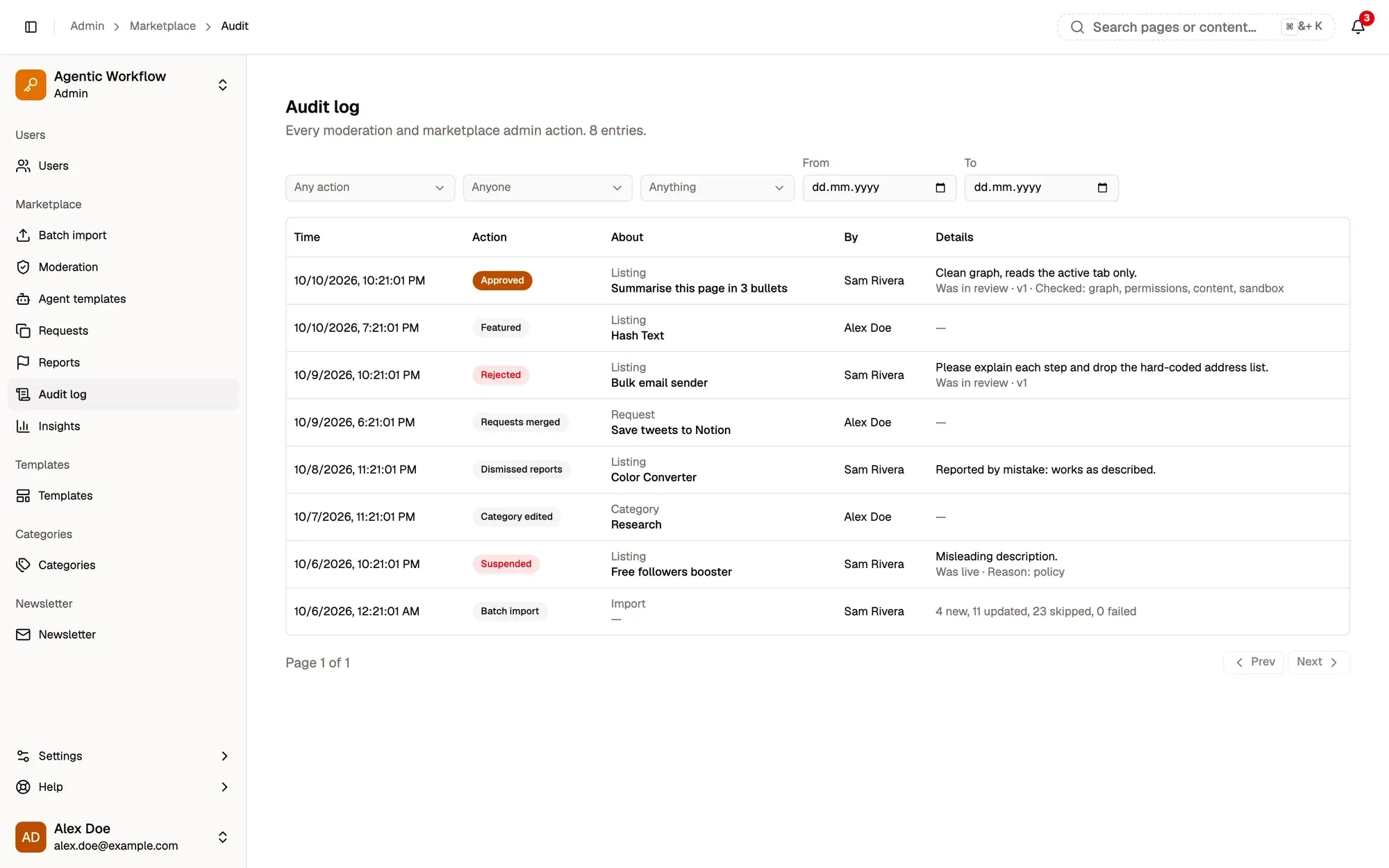
  • Action: pick a group such as Approvals, Suspensions, Featuring or Imports.
  • Done by: one admin, or Anyone.
  • About: Listings, Categories, Templates, Agent templates, Requests or Imports.
  • From and To dates.
  • Click a name in the About or By column to show only entries for it. Remove that filter with the X on its chip.

Clear filters resets everything. 50 entries show per page.

Admin panel, Audit log: the Any action, Anyone and Anything filters with From and To dates, and a table of fictional entries with their time, action (Approved, Featured, Rejected, Requests merged, Dismissed reports, Category edited, Suspended, Batch import), what they are about, who did it and the details, such as the review checks that were ticked. Admin panel, Audit log: the Any action, Anyone and Anything filters with From and To dates, and a table of fictional entries with their time, action (Approved, Featured, Rejected, Requests merged, Dismissed reports, Category edited, Suspended, Batch import), what they are about, who did it and the details, such as the review checks that were ticked.

Numbered areas in the screenshot: 1. Action; 2. Done by; 3. About; 4. From and To; 5. Details.

Ask Aria