Test search shows exactly what an agent would get before you rely on it. It runs on this device and saves nothing.
Open a knowledge base and click Test search (or the Test search tab).
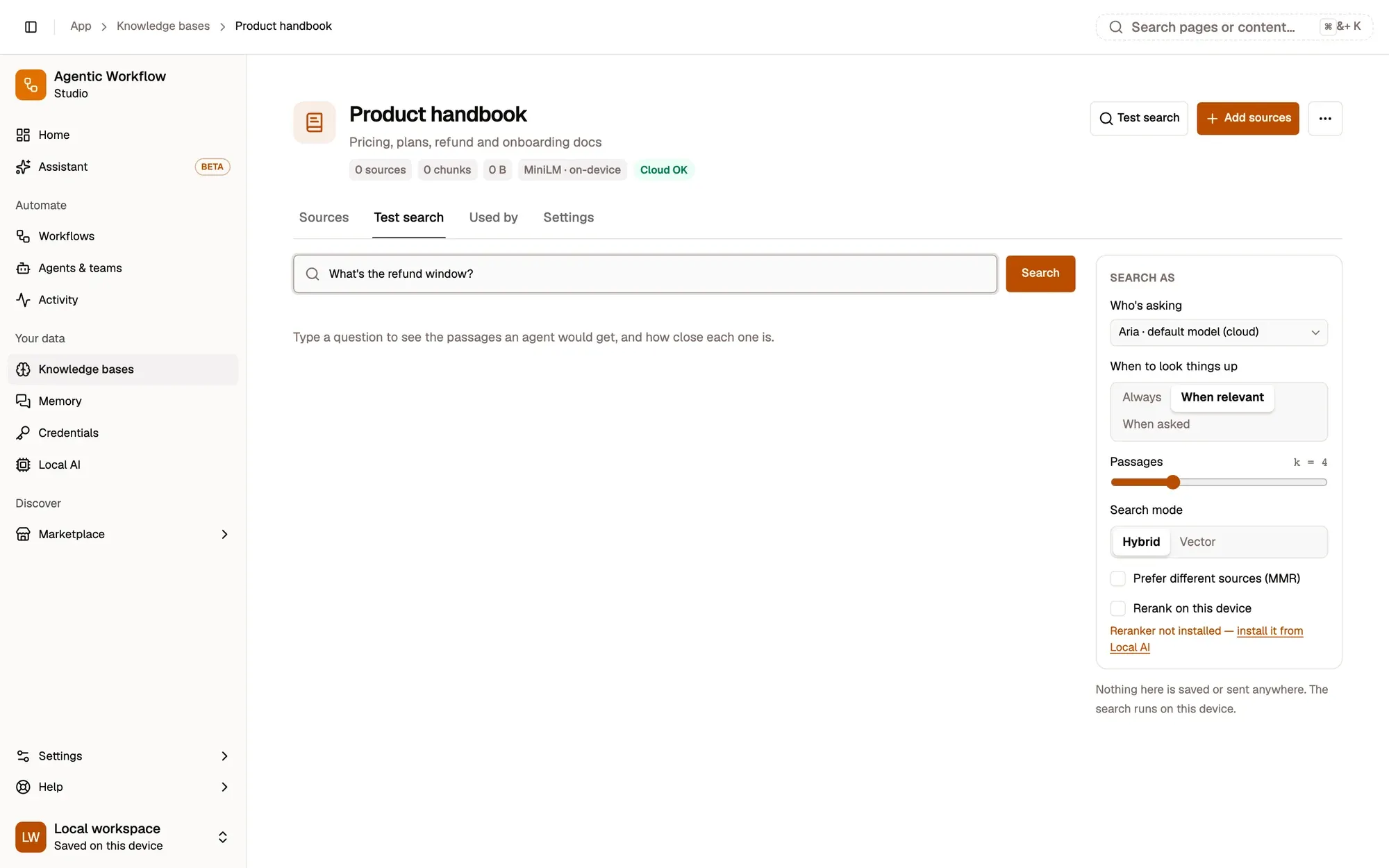
Numbered areas in the screenshot: 1. Question; 2. Search; 3. Search as: who's asking; 4. Search mode.
Reading the results
Section titled “Reading the results”Each passage shows:
- a score and a meter (how similar the passage is to the question), and a badge when it also matched your keywords;
- the source, chunk and page, with the matching words highlighted, and Open source;
- a dashed cut-off line at 0.35: passages under it are dimmed, because When relevant skips them (see When to look things up).
Search as
Section titled “Search as”Search as tests the way a given reader would search:
- who is asking: Aria, an agent that uses this knowledge base (with its model, on-device or cloud), or a workflow RAG node;
- the policy (Always / When relevant / When asked) and how many passages to return;
- Search mode: Hybrid (keywords and meaning) or Vector (meaning only);
- Prefer different sources (MMR): return passages that are relevant but differ from each other.
A note explains the result for that reader, for example “This knowledge base is on this device only, so a cloud model skips it.”
Keywords and meaning
Section titled “Keywords and meaning”A search uses hybrid search by default: a keyword search (good for exact names, codes and error messages) and a search by meaning (good for paraphrases), merged into one ranking. A passage counts as relevant when it is similar enough to the question, or when it contains most of the words you searched for.
Switch to meaning only (Vector) in Test search, or in the workflow nodes’ Match by option.
Nothing useful comes back?
Section titled “Nothing useful comes back?”- Every passage is under the cut-off. The question uses other words than your documents. Rephrase it, or add a source that says it plainly.
- The right document isn’t there at all. Check its row on the Sources tab: it may have failed (for example a scanned PDF with no text).
- A cloud-built knowledge base returns nothing. Searching it needs the provider’s key. Add it, or re-embed on this device.